Archive
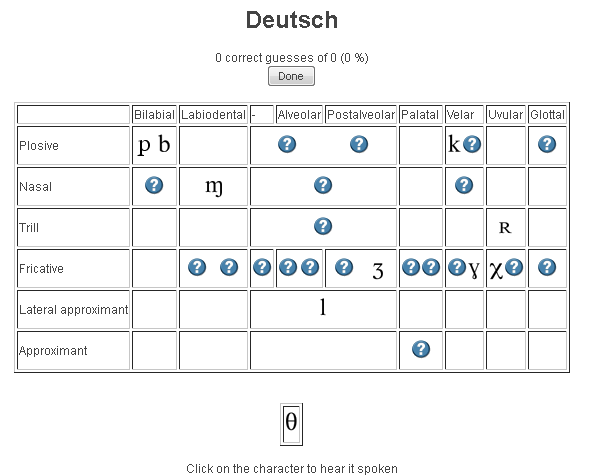
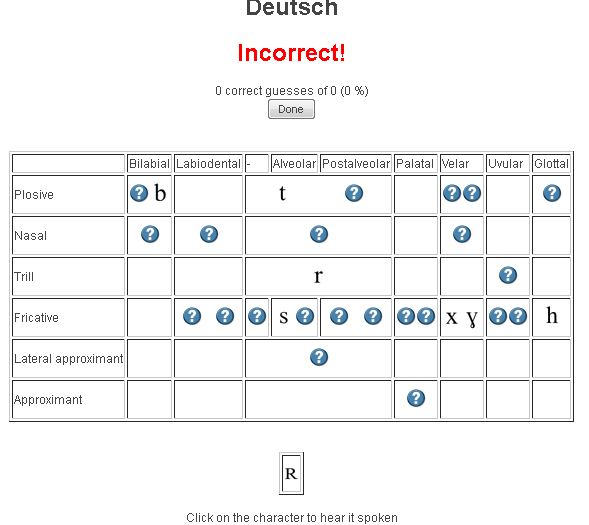
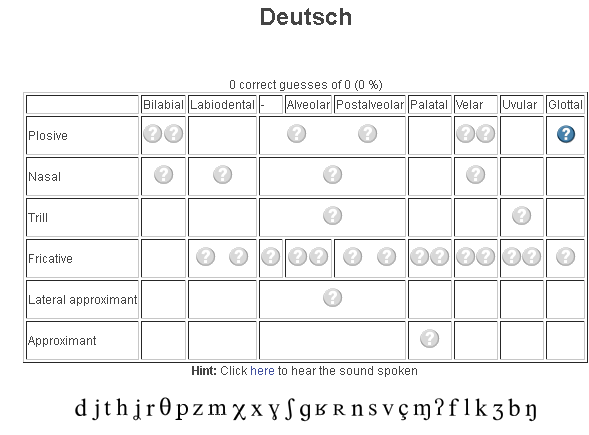
Ipatrainer.com community provides free phonetic transcription tables with sounds and exercises
- This is looking good, but …
- There seem to be some coding issues, I am getting server errors 500 after registering.
- The site is advertisement-based.
- There is no content beyond the IPA sound which would put these bare basics in phonetics into language learning context and practice.
- Site Contains:
- tables for teaching your language – complete with phonetic symbols and sound samples

- and exercises for your students (e.g. Memory games, Identifying characters


, places,
and sounds.
- tables for teaching your language – complete with phonetic symbols and sound samples
- You can
- Create your own, after free registration,
- or assign one of the ones from many other teachers.
- Most popular ones are listed here: http://www.ipatrainer.com/user/site/?language=, and if the use numbers are accurate, there must be really some serious IPA learning going on here…
- I see no way to browse other tables without having the username of the teacher who created and assigned it.
- There is also a phonetic writer.
- And a user forum, in its infancy.
LRC Sanako Study 1200 for Pronunciation
Immerse yourself into your language of study by switching the user interface language on LRC PCs
- Ever imagine yourself studying or working in an e.g. Spanish– Japanese- or Chinese- speaking country? Then you will likely find yourself in front of a computer display that is in that language – what if you could get a sneak preview before you go?
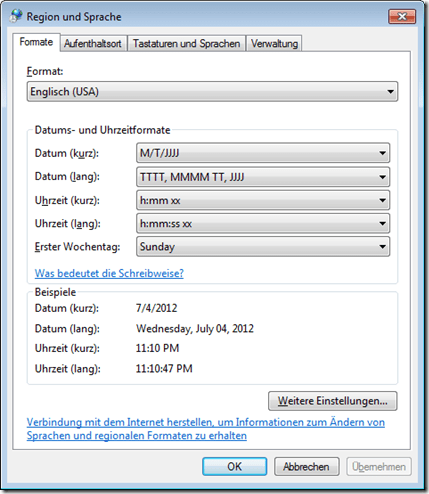
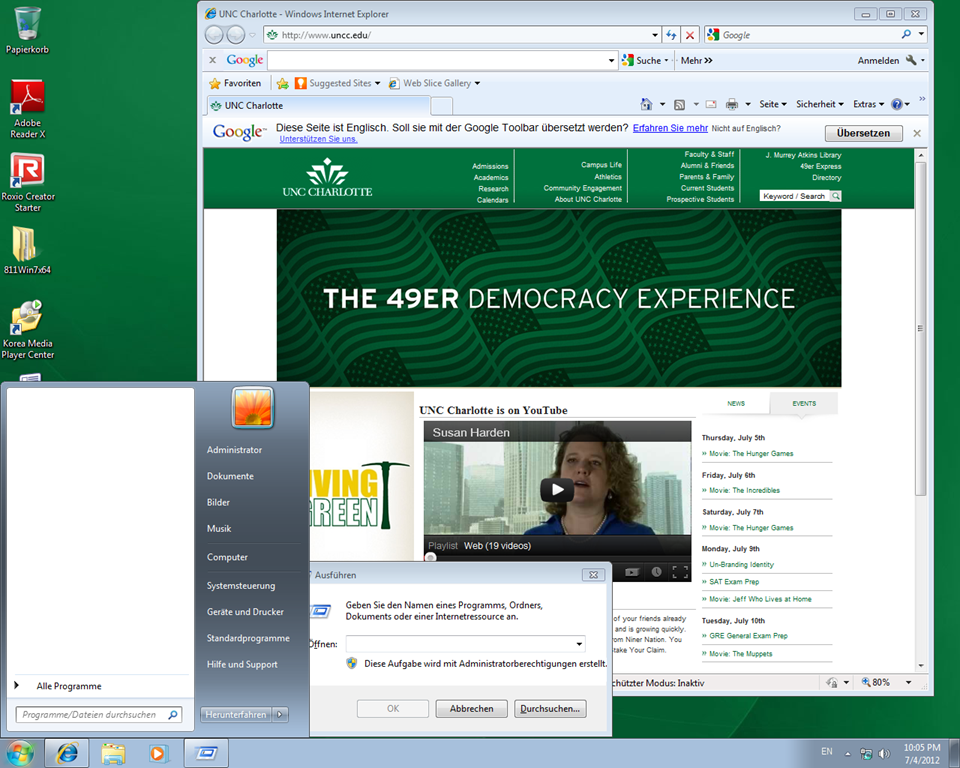
- You can now switch the interface language of the LRC Windows 7 computers (including Internet Explorer and MS-Office (note that you have to change the editing language separately) to your language of study (How?).
- All non-classical languages studied here are supported:
Language Native name Arabic العربية Chinese (Simplified) 中文(简体) Chinese (Traditional) 中文 (繁體) English English French français German Deutsch Greek Ελληνικά Hebrew עברית Italian italiano Japanese 日本語 Korean 한국어 Polish polski Portuguese (Brazil) Português Portuguese (Portugal) português Russian Русский Spanish español - Some languages, however, come only with the limited support of a MS Language Interface Pack :
-
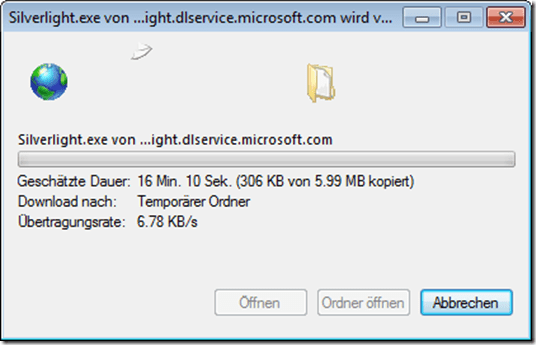
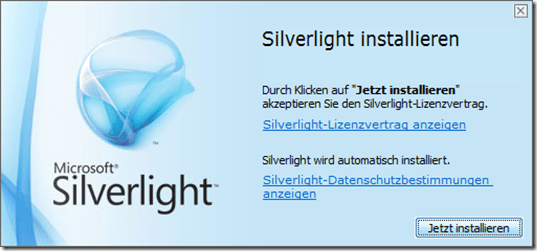
Hindi हिंदी KiSwahili Kiswahili Persian (Farsi) فارسی Yoruba ede Yorùbá - Below are examples (for German) what you get when you switch the operating system language:



Foreign language support in LRC MS-Office 2010
- A full set of proofing tools is available, thanks to MS-Office Language Packs installed on the Windows 7 computers, for all non-classical languages studied here:
-
Language Native name Arabic العربية Chinese (Simplified) 中文(简体) Chinese (Traditional) 中文 (繁體) English English French français German Deutsch Greek Ελληνικά Hebrew עברית Hindi हिंदी Italian italiano Japanese 日本語 Korean 한국어 Polish polski Portuguese (Brazil) Português Portuguese (Portugal) português Russian Русский Spanish español - Some languages have only limited features provided by the MS-Language Interface Pack:
-
KiSwahili Kiswahili Persian (Farsi) فارسی Yoruba ede Yorùbá
How to change the display language and speech recognition language on LRC Windows 7 computers (and which languages are available)
- UPDATE: Since this page seems to be getting a lot of hits, I want to clarify: The step-by-step guide below only applies after you installed (free) language (or language interface) packs (see list here) on Windows 7 Enterprise or Ultimate SKU (others SKUs cannot add multiple language interfaces). UPDATE2: Things got much easier with Windows 8.
- In order to
- view the GUI of Windows and Internet Explorer in a foreign language,
- use the speech recognition in (a subset of the below) foreign languages,
- and also switch the default language of MS-Office
- Double-click the desktop shortcut “Region and language – Keyboards and languages”.
- Select the desired language from the dropdown box, click “OK”.

- Click: “Log off now”:
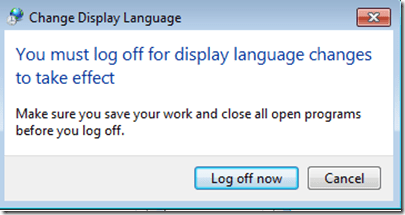
- “Log back in” (without restarting).
- And if you want the available display languages in English,
- here are the fully supported (MS Language packs):
Language Native name Arabic العربية Chinese (Simplified) 中文(简体) Chinese (Traditional) 中文 (繁體) English English French français German Deutsch Greek Ελληνικά Hebrew עברית Italian italiano Japanese 日本語 Korean 한국어 Polish polski Portuguese (Brazil) Português Portuguese (Portugal) português Russian Русский Spanish español - and here the partially supported (MS-Language Interface packs):
Hindi हिंदी KiSwahili Kiswahili Persian (Farsi) فارسی Yoruba ede Yorùbá - And here are the languages that support speech recognition:

Making audio cues for model imitation/question-response oral exams with Sanako Study 1200
We can easily record and post-process audio files in the LRC for use with the Sanako Study 1200 oral exam activities.
This can work not only for outcome exams (course- or chapter-wise), but also or formative assessment:
Think converting your textbook-based “drills” into Sanako, like repetitively recapitulating the newly acquired vocabulary item “donut” with different cues:
Example: “What can you do with [student can enter her favorite new vocabulary item for the current class] on [teacher can ask for one social web service after the other that her students likely are familiar with]?”. In response, student has to practice vocabularry item by forming sentences that fit the vocabulary item that fit like in the whiteboard example.
We can add to these recordings the features explained in the slide below.
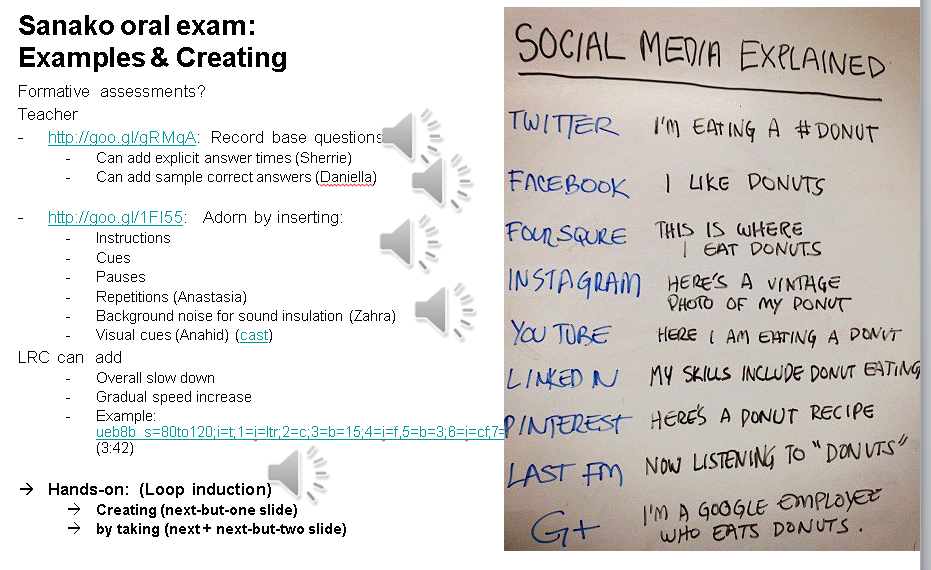
I’d be happy to play you examples from this slide – and more – in the LRC (not to be published here so that the exam files can be reused).

How the LRC supports Second Language Acquisition (all 4 skills) and testing using computers, and provides requisite documentation and training
Table of contents for 2 screencasts of a presentation, left screen slides/no audio, right screen/speaker audio – best viewed side-by-side.
|
Time in LRC-report-speaker |
Time in LRC-report-slides |
Topic |
Subtopic |
|
0:00 |
Overview of LRC activities |
||
|
0:00 |
0:40 |
SLA reading |
|
|
0:02 |
1:10 |
SLA writing |
|
|
1:00 |
high-stakes quiz screencast: http://goo.gl/AaGrK |
||
|
3:40 |
Movie caption exercise generation using NLP |
||
|
5:45 |
2:35 |
SLA listening |
Text-to-speech Deskbot |
|
7:15 |
4:00 |
example of time-stretched audio |
|
|
10:00 |
10:10 |
SLA speaking |
Moodle Kaltura for webcam recordings homework assignments |
|
12:30 |
Sanako oral exams |
||
|
15:00 |
Example of oral exam material |
||
|
16:40 |
15:45 |
Classroom management systems |
|
|
27:15 |
Outlook: LRC as proficiency assessment/testing center, outreach/service to high schools |
||
|
16:40 |
Example of oral proficiency exam |
||
|
28:30 |
Needed additions: video streaming to students, video recordings from students |
||
|
30:10 |
Question period |
||
|
30:10 |
LRC media repositories |
||
|
33:30 |
Infrastructure work: |
Year1:Ghost+imaging |
|
|
33:35 |
Year2:LRC calendars (room reservation, equipment circulation, staff timetabling) |
||
|
34:25 |
Outlook: things that need to be fixed in LRC calendars |
||
|
39:25 |
|||
|
39:45 |
19:45 |
LRC Blog |
|
|
39:45 |
Querying tags and categories |
||
|
45:00 |
tags, categories, RSS feeds displayed in internet explorer tag display, |
||
|
55:20 |
Using tags/categories searches of the LRC blog in training teachers and students |
||
|
57:25 |
Q:TOEFL, AP exams and other oral proficiency assessment – |
||
|
58:45 |
Webcape placement exams and other written exam in the LRC |
||
|
59:30 |
Q:Concurrent exam scheduling |
Sanako has no scheduling system to allow a limited number of users to take an exam simultaneously (but it prevents users beyond the licensing seats to use the Sanako, including for exams), Scheduling plug-ins seem to be available for Moodle. |
|
|
61:40 |
Outlook: Need more licenses for the Sanako to match the UNCC class size |
Blog Stats
- 528,774 hits

Questions? Read the About. Or just ask me a quick
FAQs for LRC student staff or for students or for teachers. To search our FAQs, in the browser addressbar, add after "https://plagwitz.wordpress.com/feed/?tag=faqs+/" "+TAG1" (from tag cloud below) OR "https://plagwitz.wordpress.com/feed/tag=faqs
&category_name=" "CAT1" (from category hierarchy below). OR search both categories and tags, and multiple TAGs/CATs (connect with "," for OR-search, with "+" for AND-search), like so: https://plagwitz.wordpress.com/feed/?tag=TAG1+TAG2+...TAGn&category_name=CAT1
+CAT2+...CATn"
Other ways to find help
If you cannot find it here, look there: 5,500 Language-Learning Links and Programs for learning or teaching 150 languages
Shortcuts:Our Lists, Our Maps, LRC Staff Moodle Site,LRC Project Moodle Site, 49erexpress, UNCC Moodle, Student Recordings: s:claslcslrcsanakostudent
Learning usage samples: Sanako oral exam, Kaltura webcam presentation, Dictation with speech recognition, Sanako written exam, Chinese and Japanese interactive stroke-order practice
Test the Sanako Installer, Webbrowser Popup Konfigurator for XP, or Windows7, faster LRC TeacherPC Log-in Let MS facilitate diacritics writing by installing for you US-International keyboard layout
This is my personal blog (Google+). The views expressed on these pages are mine alone and not those of my employer. The information in this weblog is provided “AS IS” with no warranties, and confers no rights.
Top Posts & Pages
- How to display Furigana phonetic guide for Japanese Kanji in MS-Word 2010
- Run mmsys.cpl if you get no audible output in a Blackboard IM call on your PC
- How a student uses the Sanako Recorder Voice Insert mode for Moodle comparative recording exercises
- Imran’s Phonetic Keyboard for Arabic
- How to get the model and serial number of your iMac
- Another way to upload many files into Moodle 2
- How to use the MS-Word Quiz Template (and the MS-Excel subtitles spreadsheet)
- Film-and-media-collection.xlsx online database under construction
- How to power on iMacs
- Demo of Puntos de partida on the McGraw-Hill Connect online platform for Hybrid Spanish teachers
Top Clicks
Categories
- Area-is-any (194)
- Back office (10)
- Coed432 (2)
- LRCRoomCoed435a (1)
- LRCRoomCoed436 (4)
- COED037 (14)
- presenter-computer (9)
- student-computers (6)
- faculty-offices (3)
- LRCRoomCoed433 (68)
- iMacs (14)
- Listening-Stations (23)
- printer (1)
- Reception-desk (33)
- small-group-work-spaces (12)
- TV-viewing-area (3)
- LRCRoomCoed434 (117)
- Presenter-Computer (78)
- Student-Computers (69)
- MGB-36 (4)
- Back office (10)
- audience-is-any (683)
- Computer and Internet (3)
- Utilities (1)
- Genre-is-any (643)
- announcements (21)
- bad-ideas-and-other-mistakes-samples (1)
- cheat-sheets (2)
- checklists (31)
- documentation (151)
- feedback (2)
- flowcharts (3)
- Internal (1)
- learning-materials (86)
- learning-usage-samples (21)
- marketing (18)
- Notes (228)
- Glitches&Errors (190)
- Learning-logs (24)
- mental-notes (20)
- policies (5)
- Practice&Demos (26)
- conferences (17)
- tradeshows (3)
- projects (9)
- proposals (13)
- reports (11)
- research (2)
- reviews (3)
- step-by-step-guides (38)
- table-of-contents (8)
- training (80)
- clinics (6)
- faculty-showcases (2)
- workshops (29)
- Institution-is-any (193)
- Institution-is-Aston-University (13)
- Institution-is-Drake-University (2)
- Institution-is-London-Metropolitan-University (33)
- Institution-is-Loyola-University-Maryland (27)
- Institution-is-Queen's-University (1)
- Institution-is-University-of-Michigan-Dearborn (3)
- Institution-is-University-of-North-Carolina-Charlotte (120)
- Institution-is-University-of-Tampa (4)
- K12 (1)
- Learning-activity-is-any (82)
- assessments (44)
- assignments (35)
- classroom-activities (8)
- grading (11)
- presentations (4)
- Learning-Tool-is-any (683)
- Classroom-technology (162)
- erepository (19)
- hardware (86)
- audiovisual (28)
- faculty-equipment (10)
- film-studies-equipment (14)
- furniture (1)
- headphones (18)
- mobile-computing (8)
- mobile-phones (4)
- tablets (4)
- phones (6)
- audiovisual (28)
- Media (32)
- multimedia-recording (79)
- software (215)
- Authoring-tools (3)
- Polls (2)
- GIS (4)
- office-software (87)
- Operating-system (20)
- os (16)
- recording-software (15)
- translation-software (9)
- web-browsers (12)
- Authoring-tools (3)
- software-old (7)
- textbooks (22)
- websites (208)
- blog (12)
- eportfolio (7)
- lab-portal (4)
- lms (95)
- Metrics (22)
- Analytics (7)
- Visualizations (8)
- Multimedia-is-any (269)
- animated-GIFs (43)
- Audiofiles (1)
- Charts (8)
- compiledcode (17)
- Documents (15)
- forms (4)
- Interactive-documents (1)
- Photos (11)
- Pictures (1)
- polls (1)
- Scans (2)
- Screencasts (87)
- screenshot-albums (5)
- Screenshots (16)
- Slideshows (24)
- sourcecode (21)
- Spreadsheets (35)
- Videos (13)
- Personal (22)
- second-language-acquisition (249)
- 4-skills (216)
- Grammars (4)
- Proficiency-Levels (36)
- Absolute-Beginner (19)
- Advanced (28)
- Beginner (26)
- Intermediate (29)
- Near-Native (9)
- Syntax (2)
- Vocabulary (52)
- Corpus-linguistics (16)
- corpora (9)
- Dictionaries (18)
- Corpus-linguistics (16)
- service-is-any (454)
- service-is-applying-learning-tools (23)
- service-is-assessing (21)
- service-is-configuring-learning-tools (34)
- service-is-documenting (70)
- service-is-evaluating-learning-tools (38)
- service-is-hr-managing (15)
- service-is-it-managing (20)
- service-is-learning-materials-creation (90)
- service-is-library (99)
- service-is-outreach (2)
- service-is-programming (66)
- service-is-project-managing (16)
- service-is-testing (2)
- service-is-testing-troubleshooting-debugging (71)
- service-is-training (14)
- service-is-tutoring (19)
- Study-program-is-any (314)
- all-languages (228)
- Film-studies (38)
- Interpreting (36)
- Translation (27)
- Teaching-delivery-format-is-any (27)
- technology-domains-is-any (853)
- digital-humanities (7)
- e-commerce (2)
- e-infrastructure (471)
- e-languages (297)
- e-learning (103)
- e-research (2)
- Uncategorized (38)
- unit-is-any (4)
Archives
- September 2017
- April 2017
- January 2017
- November 2016
- July 2016
- June 2016
- May 2016
- April 2016
- March 2016
- February 2016
- January 2016
- December 2015
- November 2015
- October 2015
- September 2015
- August 2015
- July 2015
- June 2015
- May 2015
- April 2015
- March 2015
- February 2015
- January 2015
- December 2014
- November 2014
- October 2014
- September 2014
- August 2014
- July 2014
- June 2014
- May 2014
- April 2014
- March 2014
- February 2014
- January 2014
- December 2013
- November 2013
- October 2013
- September 2013
- August 2013
- July 2013
- June 2013
- May 2013
- April 2013
- March 2013
- February 2013
- January 2013
- December 2012
- November 2012
- October 2012
- September 2012
- August 2012
- July 2012
- June 2012
- May 2012
- April 2012
- March 2012
- February 2012
- January 2012
- December 2011
- November 2011
- October 2011
- September 2011
- August 2011
- July 2011
- June 2011
- May 2011
- April 2011
- March 2011
- February 2011
- January 2011
- November 2010
- October 2010
- September 2010
- August 2010
- July 2010
- May 2010
- April 2010
- March 2010
- February 2010
- January 2010
- December 2009
- November 2009
- October 2009
- September 2009
- August 2009
- July 2009
- June 2009
- May 2009
- April 2009
- March 2009
- February 2009
- September 2008
- August 2008
- July 2008
- June 2008
- March 2008
- January 2008
- November 2007
- August 2007
- July 2007
- June 2007
- December 2006
- June 2006
- May 2006
- April 2006
- March 2006
- February 2003