Archive
Archive for the ‘sourcecode’ Category
How to get rid of “Questions completed” feedback in Hot Potatoes quizzes
2013/12/20
Leave a comment
- If you dig into the JavaScript in the HTML, looking for the default feedback t4ext (“Questions completed so far”), you see (as I have done here manually; this could be relatively easily done also for an entire batch of course quizzes with a global replacement) that you turn this option off:
- var CompletedSoFar = ‘Questions completed so far: ‘;
- var ShowCompletedSoFar = false;
- But that does not get rid of the #/# being displayed.
- There is an option to get rid of the Feedback text:
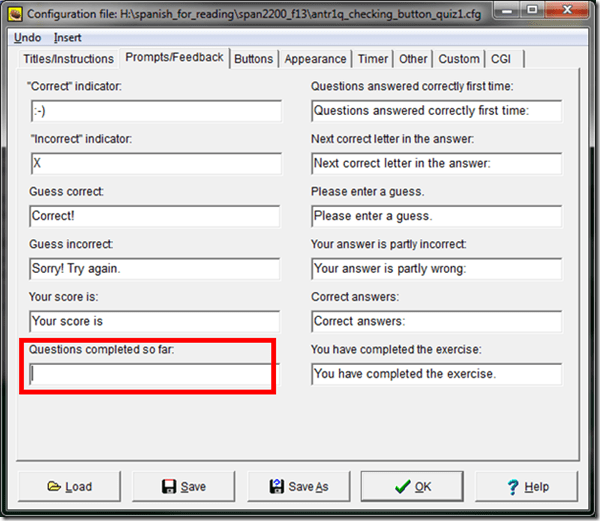
- If I read the options correctly, there is no such setting (we tried the obvious suspects here):

-
function CheckQuestionsCompleted(){ // trp: trying to disable showing to student QuestionsCompleted // (entire function even if somebody changes the variable ShowCompletedSoFar) // if i understand correctly, what users really do not want to show // is a misleading completed correctly for completed // (which leads to students not know that they have finished?) - \ // is there no better way? // was: if (ShowCompletedSoFar == false )){return '';} // trp: cannot find a gui to set ShowCompletedSoFar to false var QsCompleted = 0; for (var QNum=0; QNum<State.length; QNum++){ if (State[QNum] != null){ if (State[QNum][0] >= 0){ QsCompleted++; } } } //Fixes for 6.2.2.2 if (QsCompleted >= QArray.length){ return ExerciseCompleted; } else{ return ''; // trp: CompletedSoFar + ' ' + QsCompleted + '/' + QArray.length + '.'; } } - Since you can edit the sourcefiles of a HotPotatoes installation, you can turn it also off for a machine permanently:
- If this variable is there in the underlying code, shouldn’t there be also an option in the GUI (not necessarily, maybe was never implemented – or maybe I just have not found it…).
- For what the output will look like, see here.


Categories: assessments, Authoring-tools, e-learning, sourcecode
hot-potatoes, javascript
Request to download the digital audio lab classroom audio configuration on the fly, program and source for Windows 7
2013/12/09
Leave a comment


Request to download the Sanako Study 1200 licensing server, student and classroom name reset, program and source
2013/06/11
Leave a comment
Back to description for reset of server reset program.
Request to download the Sanako Study 1200 Recorder Installer source
2013/06/11
Leave a comment
(Please be advised that there is no compiled code download for this software program since any implementation is institution-specific. The source code (written in AutoIT) download is for demonstration purposes only and not ready to run without you making the necessary adaptations to your environment).
Back to description of sanako recorder install faculty program
Protected: How you can automate giving your teachers access to your Sanako language lab in the offices and from home
2013/04/26
Enter your password to view comments.
Categories: service-is-programming, sourcecode
autoit, automation, ms-windows-installer, msi, sanako-study-1200
Automating language learning listening material creation with Google Translate text-to-speech: The technology
2013/02/28
Leave a comment
- A digital audio lab heavily depends on the availability of, but does not usually come with digital learning materials (and recent exceptions are exceptions for a reason) Some digital audio materials that come with your textbook may be adaptable. “Rolling your own” has all kinds of advantages (allows for personalization, for both teachers to express themselves, and for students to learn), but can be a chore.
- Can the LRC find a workaround? Here is one attempt: making Google translate (too often abused by students in its original interface) text-to-speech (unusable for learning material in its original interface since severely crippled) usable for digital audio learning material production, provided you have a source text in the target language.

- GoogleTTS can serve as the gateway to better suiting Google Translate text-to-speech features to the needs of the LRC:
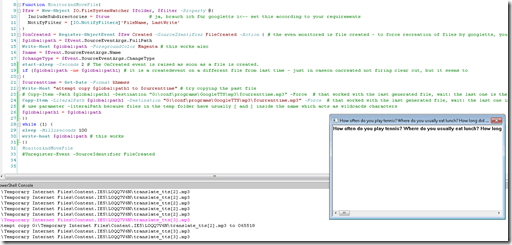 GoogleTTS allows for arbitrary-length input text (it chunks it automatically).
- GoogleTTS produces intermediate local audio files which we can postprocess.
- Google Translate’s automatic language recognition remains a sore point: it is not reliable. Unlike Google Translate, GoogleTTS has no interface to set the language manually when the automatic recognition fails.
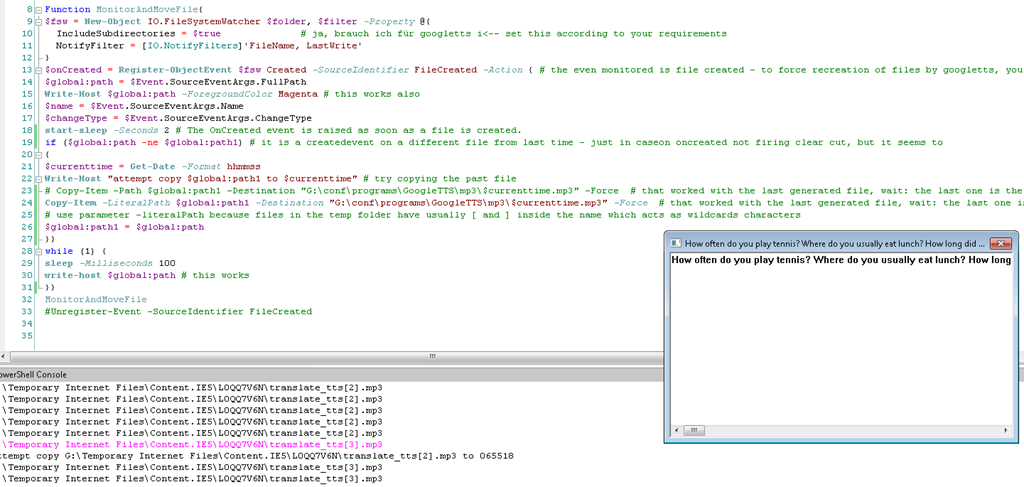
- Batch-download the files from Google Translate, using MS-PowerShell: <
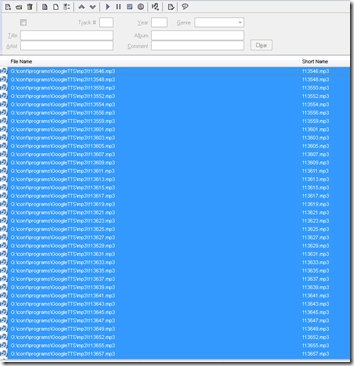
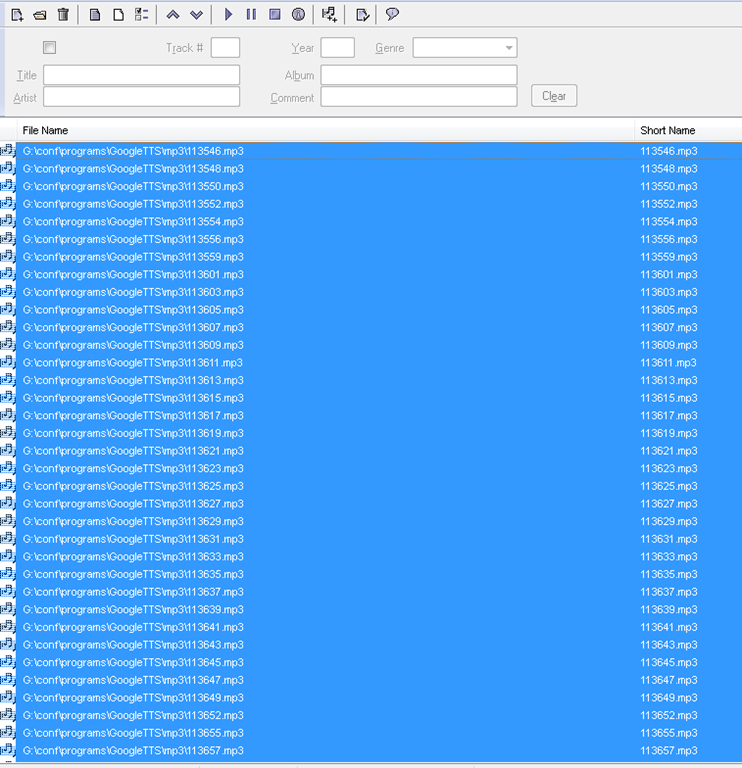
$global:folder = 'G:\Temporary Internet Files\Content.IE5' $filter = '*.mp3' # <-- set this according to your requirements $global:destination = 'G:\conf\programs\GoogleTTS\mp3' $global:path $global:path1 $currenttimeFunction MonitorAndMoveFile{ $fsw = New-Object IO.FileSystemWatcher $folder, $filter -Property @{ IncludeSubdirectories = $true # ja, brauch ich für googletts i<-- set this according to your requirements NotifyFilter = [IO.NotifyFilters]'FileName, LastWrite' } $onCreated = Register-ObjectEvent $fsw Created -SourceIdentifier FileCreated -Action { # the even monitored is file created - to force recreation of files by googletts, you may have to clear watched folder of all mp3 < 100kb first $global:path = $Event.SourceEventArgs.FullPath Write-Host $global:path -ForegroundColor Magenta # this works also $name = $Event.SourceEventArgs.Name $changeType = $Event.SourceEventArgs.ChangeType start-sleep -Seconds 2 # The OnCreated event is raised as soon as a file is created. if ($global:path -ne $global:path1) # it is a createdevent on a different file from last time - just in caseon oncreated not firing clear cut, but it seems to { $currenttime = Get-Date -Format yyyy-MM-dd-hhmmss Write-Host "attempt copy $global:path1 to $cuurrenttime" # try copying the past file # Copy-Item -Path $global:path1 -Destination "G:\conf\programs\GoogleTTS\mp3\$currenttime.mp3" -Force # that worked with the last generated file, wait: the last one is the one that remaisn behind, earlier ones get overwritten Copy-Item -LiteralPath $global:path1 -Destination "G:\conf\programs\GoogleTTS\mp3\$currenttime.mp3" -Force # that worked with the last generated file, wait: the last one is the one that remaisn behind, earlier ones get overwritten # use parameter -literalPath because files in the temp folder have usually [ and ] inside the name which acts as wildcards characters $global:path1 = $global:path }} while (1) { sleep -Milliseconds 100 write-host $global:path # this works }} MonitorAndMoveFile #Unregister-Event -SourceIdentifier FileCreated - Merge the downloaded files (wisely numbered sequentially):
- Fix minor errors in your audio editor:
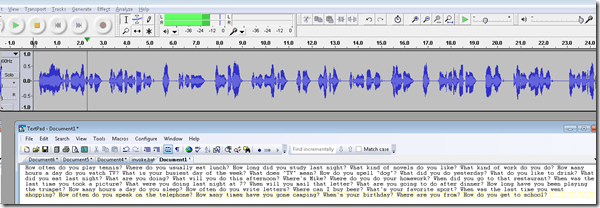
- Done:
- Here I have a lot of questions for a speaking exam in ESL, and with a much better accent than my own.
- Nifty, plus output sounds even better for German than for English. Note, there is no attempt to parse sentences semantically. Some languages chunk better than others (I made some little improvements in this regard to the original program). Other common problems include numbers and in German I find myself, when listening, tending to look up once in a while and shake a high school students by the shoulders, asking him: “Do you actually understand what you are reading?!”
 – which in my eyes is an indicator to the progress made in speech-synthesis.
 - Other examples include French,
- Hindi,
- Italian,
- Spanish.
- So can the LRC relieve teachers from recording their cue files for the digital audio lab listening comprehension and exam? Within limitiations.


Categories: audience-is-language-learning-center-manager, audience-is-teachers, digital-audio-lab, English, French, German, Hindi, Italian, learning-materials, Listening, service-is-applying-learning-tools, service-is-learning-materials-creation, service-is-programming, sourcecode, Spanish
automation, google-translate, powershell, text-to-speech
Code documentation for a job ticket assignment and reporting application
2013/01/28
Leave a comment
- JobAssignments allows for managing job tickets with easy tagging and filtering of task assignments, and for aggregate analysis and reporting.
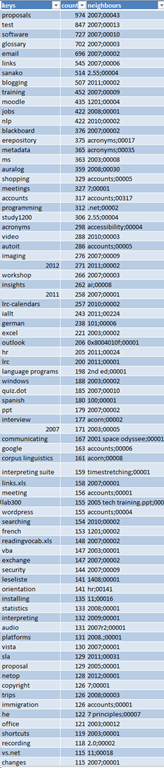
- Originally developed only for simple tag aggregation reports (watch a demo), JobAssignments can now also analyze the tag graph:

- Click the table of contents on the right to browse the VBA documentation built with Aivosto.


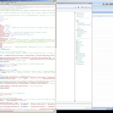
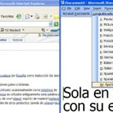
Source code samples
2012/07/29
Leave a comment
 |
source code
|
|||
 |
 |
 |
 |
 |
 |
 |
|||
Categories: screenshot-albums, sourcecode
auralog-tell-me-more, autoit, c#, regular-expressions, sanako-study-1200, VBA


Questions? Read the About. Or just ask me a quick Our Databases: Resources with calendars -- Language learning material Moodle Sites, multimedia files -- films
FAQs for LRC student staff or for students or for teachers. To search our FAQs, in the browser addressbar, add after "https://plagwitz.wordpress.com/feed/?tag=faqs+/" "+TAG1" (from tag cloud below) OR "https://plagwitz.wordpress.com/feed/tag=faqs
&category_name=" "CAT1" (from category hierarchy below). OR search both categories and tags, and multiple TAGs/CATs (connect with "," for OR-search, with "+" for AND-search), like so: https://plagwitz.wordpress.com/feed/?tag=TAG1+TAG2+...TAGn&category_name=CAT1
+CAT2+...CATn"
Other ways to find help
If you cannot find it here, look there: 5,500 Language-Learning Links and Programs for learning or teaching 150 languages
Shortcuts:Our Lists, Our Maps, LRC Staff Moodle Site,LRC Project Moodle Site, 49erexpress, UNCC Moodle, Student Recordings: s:claslcslrcsanakostudent
Learning usage samples: Sanako oral exam, Kaltura webcam presentation, Dictation with speech recognition, Sanako written exam, Chinese and Japanese interactive stroke-order practice
Test the Sanako Installer, Webbrowser Popup Konfigurator for XP, or Windows7, faster LRC TeacherPC Log-in Let MS facilitate diacritics writing by installing for you US-International keyboard layout
This is my personal blog (Google+). The views expressed on these pages are mine alone and not those of my employer. The information in this weblog is provided “AS IS” with no warranties, and confers no rights.
 Thomas' Work Space