Archive
Mylanguagelab.com “Authentication failed” glitch in audio recorder
Common error in IE8 when students review their test before submitting. No worries, the student recording is not lost. Still, what is the solution?

How to download Centro Spanish Textbook audio
The audio is in (compressed) mp3 format. Just right-click on any audio link and choose save target/link as (or similar, depending on browser), like so: 
Example from Centro – Puntos de partida: Online Laboratory Manual, 8th Edition (you need access privileges to follow this link, but you can send links around, users can open them, provided their webbrowser is already logged into the centro site – getting access and finding you way around the website is the real issue. Webspiders are prohibited, though – and even Downthemall saves only files without extensions: rename them to .mp3 or save them manually as .mp3 in the first place, as shown above. Does not work as above? Try a different web browser.
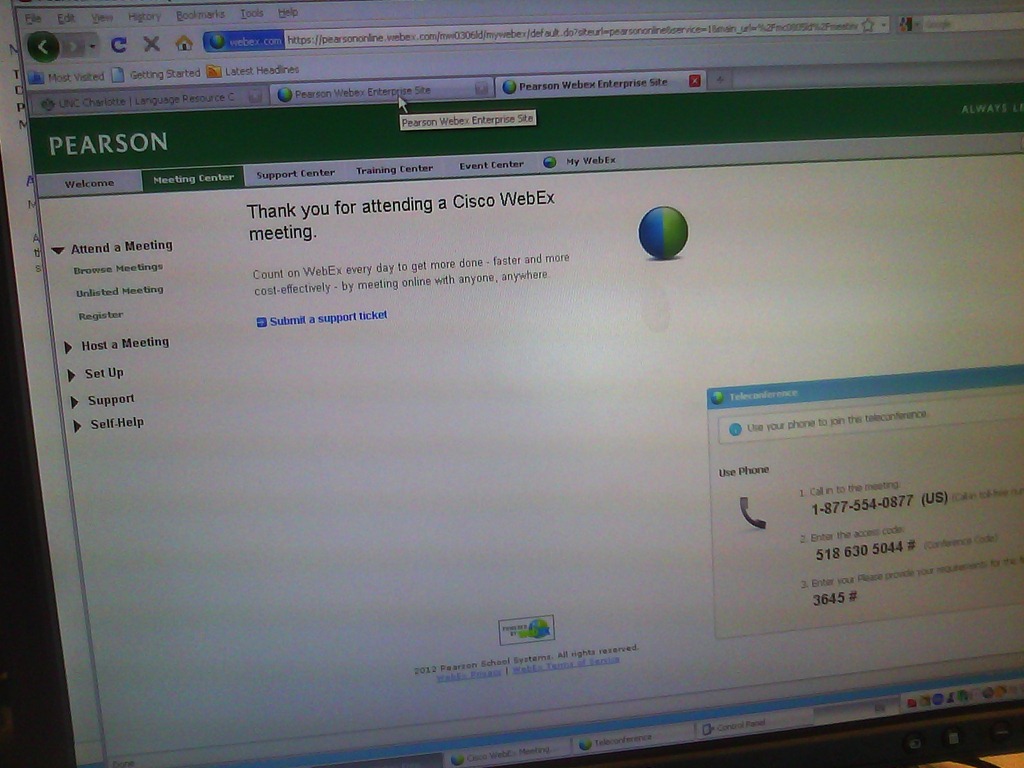
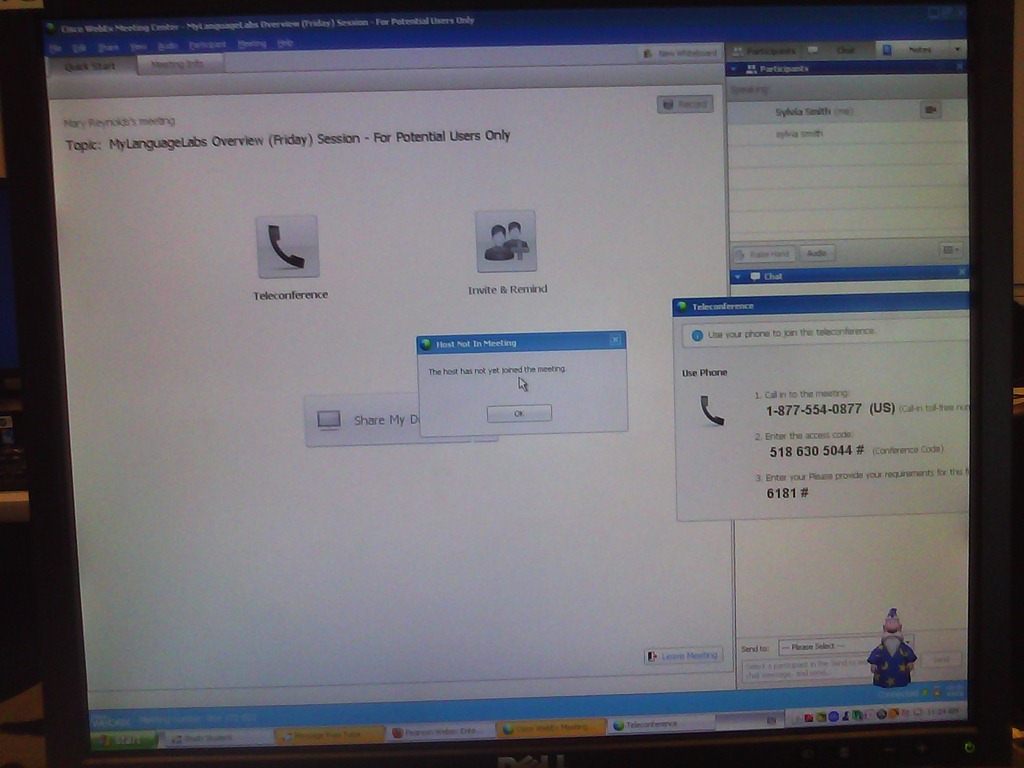
How do we connect to a Pearson MyLanguageLab webcast via Cisco WebEx?
- TURNS OUT THIS was not a technical issue – we will try and reconnect.
- our setup:

- our instructions

- misc: Do we have to use the phone for audio? We have computer audio

- misc:

- our error: “the host has not yet joined the meeting”

- Submitting support ticket that references this blog post

- At some point, we get booted to next week’s meeting (no surprise then that the host has not joined the meeting).



Treffpunkt Deutsch Companion Website with Online Exercises
- This first-year German textbook comes with a Companion Website with free online exercises, organized by chapter, on the publisher’s website (different from the Quia.com –based workbook and lab manual exercises).
- From the instructor guide: “The Companion Website is a robust online resource designed to give students a chance to practice and further explore the vocabulary, structures, and cultural themes introduced in the text. For each chapter, students will find self-grading practice exercises on vocabulary and grammar topics as well as Web-based reading and writing activities. Web links to carefully selected sites in Germany, Austria, Switzerland, Luxemburg, Liechtenstein, and South Tyrol (Italy), accompanied by interesting activities, provide additional interaction with the cultures of these German-speaking areas of Europe. Also available on the Website are the audio components of the Student Text and the SAM, as well as an interactive vocabulary flashcards tool. ”
- These exercises include vocabulary practice, even flash cards.
- The auto-correction feature provides:
- some useful feedback for further study,

- summary grades

- and an email to teacher function that should facilitate Syllabus integration of this useful resource:

- some useful feedback for further study,


Quia Options for Grading in course or book or exercise
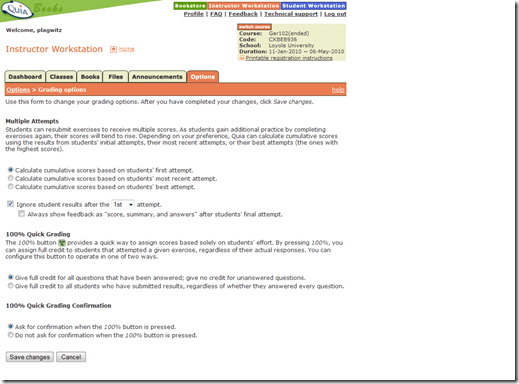
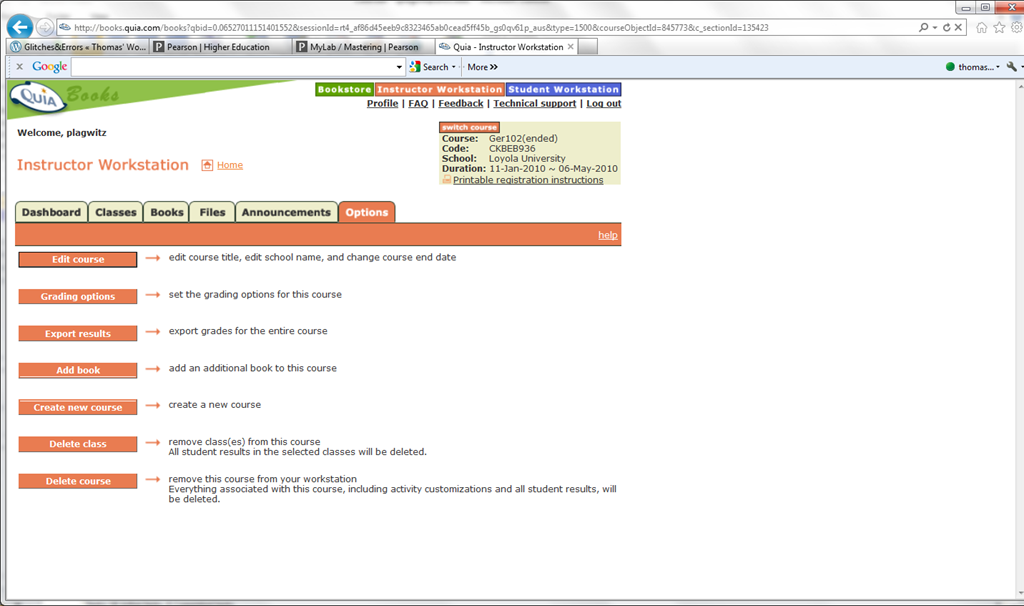
- The instructor workstation features prominently the tab : options.

- if you go into grading, you see that not all options can be changed from here.
- However, when customizing your book, you may have already found the options next to each individual exercise that allow you to change Spelling/Case sensitivity

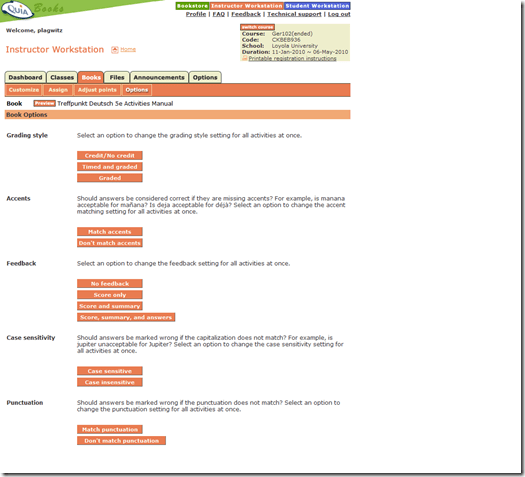
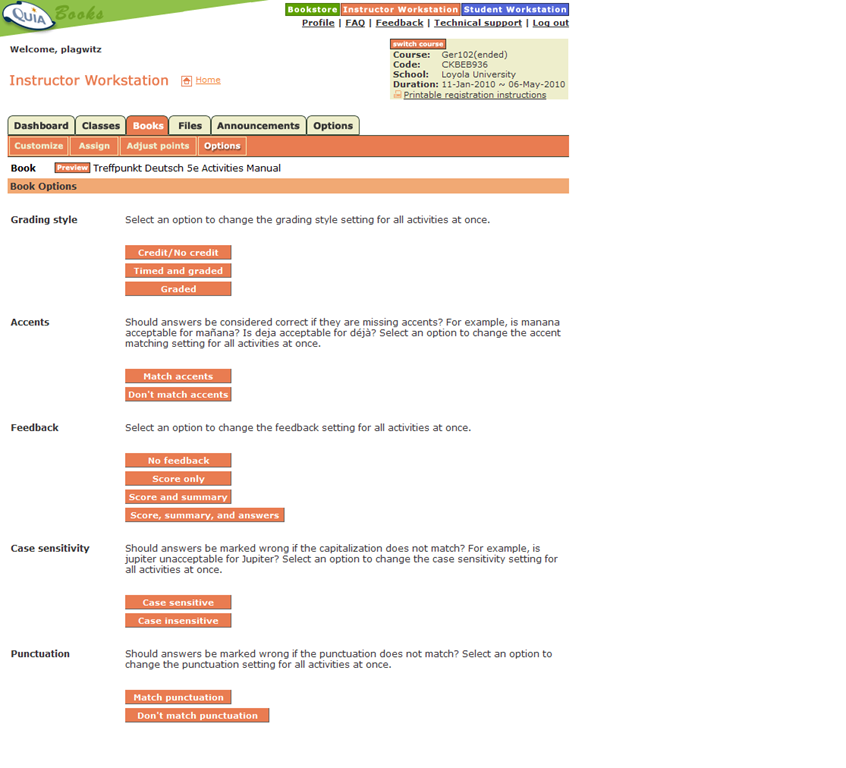
- However, if you go to the tab: book, you will find more options there, including how you can change Feedback and Spelling/Case sensitivity for the entire book instead of individual exercises:

Centro/Quia student access problems at term start: What OneKey?
-
Our Pearson/Prentice Hall textbook comes with online component, access to which is purchased in the University bookstore.
-
The textbook comes with a setup brochure (OneKey, yellow) that states: “Go to www.prenhall.com/onekey, click OneKey for Students, then click Getting Started, and select CourseCompass. Follow the on-screen instructions to register for CourseCompass”.
-

-
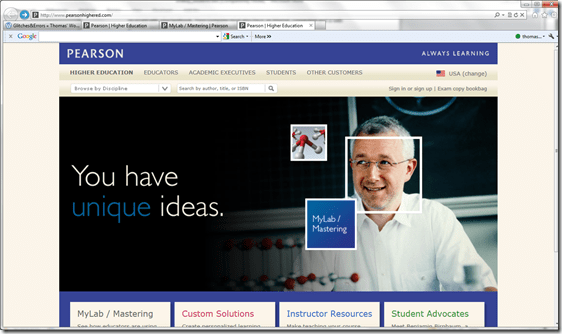
This page is unresponsive und forwards to http://www.pearsonhighered.com/
-
-
Cute but I have no idea how to continue from here.
-
if you try to enter the “CourseCompass Access Code” by browsing manually to www.coursecompass.com, you will read: “CourseCompass is now MyLab and Mastering If you had a CourseCompass account, it works with MyLab / Mastering. Sign in now.” Maybe this change broke the entire signup process?
- 100000s of these packages must have been sold by now, each costing 100s of dollars. Why do students and teachers have to waste entire class hours, each worth also 100s of dollars, on banging their head against this pay wall even after they paid?
- When reading the instructions, I found it necessary to highlight the steps our students need to take:
- CourseCompass Access Code
- CourseCompass Course ID
- Account username and password
- Quia Student Book Key
- Quia Course Code
- Wow! With my teacher login, I can see that the online content which is protected by this pay wall is still the same literally translated print lab manual/workbook material. Must be decades old now.




Questions? Read the About. Or just ask me a quick Our Databases: Resources with calendars -- Language learning material Moodle Sites, multimedia files -- films


FAQs for LRC student staff or for students or for teachers. To search our FAQs, in the browser addressbar, add after "https://plagwitz.wordpress.com/feed/?tag=faqs+/" "+TAG1" (from tag cloud below) OR "https://plagwitz.wordpress.com/feed/tag=faqs
&category_name=" "CAT1" (from category hierarchy below). OR search both categories and tags, and multiple TAGs/CATs (connect with "," for OR-search, with "+" for AND-search), like so: https://plagwitz.wordpress.com/feed/?tag=TAG1+TAG2+...TAGn&category_name=CAT1
+CAT2+...CATn"
Other ways to find help
If you cannot find it here, look there: 5,500 Language-Learning Links and Programs for learning or teaching 150 languages
Shortcuts:Our Lists, Our Maps, LRC Staff Moodle Site,LRC Project Moodle Site, 49erexpress, UNCC Moodle, Student Recordings: s:claslcslrcsanakostudent
Learning usage samples: Sanako oral exam, Kaltura webcam presentation, Dictation with speech recognition, Sanako written exam, Chinese and Japanese interactive stroke-order practice
Test the Sanako Installer, Webbrowser Popup Konfigurator for XP, or Windows7, faster LRC TeacherPC Log-in Let MS facilitate diacritics writing by installing for you US-International keyboard layout
This is my personal blog (Google+). The views expressed on these pages are mine alone and not those of my employer. The information in this weblog is provided “AS IS” with no warranties, and confers no rights.
 Thomas' Work Space