Archive
Archive for the ‘hardware’ Category
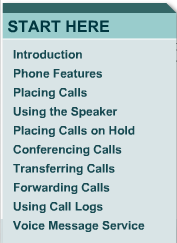
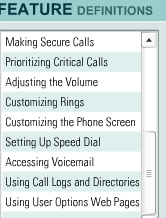
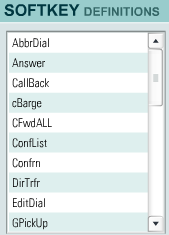
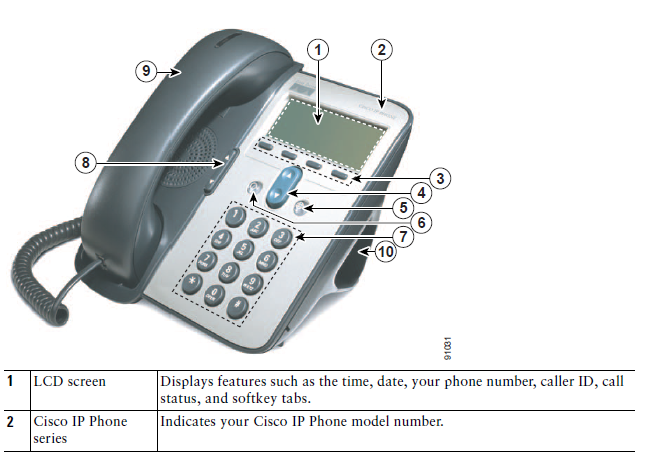
Cisco IP Phone 7912G Tutorial & Manual
2012/02/24
Leave a comment



Categories: documentation, Documents, e-infrastructure, Interactive-documents, phones
cisco-7912


How to fix Canon Vixia “Cannot write on card” error when starting recording by initializing
2012/02/15
Leave a comment
- To fix this error,
- go to: Menu / Function / Tools / Tab: / menu item: Initialize – choose the card slot A or B with the mal-formatted card.
- or view how to access the initializing procedure here TBA
- To avoid this problem: You may get this error after you the SD card has been formatted in another device but the camera (e.g. on your computer, using a memory card reader). If you are trying to delete footage, initialize the card within the camera instead. This page is taken from the Vixia manual, the full manual you can find linked in our list of bookable resources under Vixia.


How to override a Projector control out of synch with the Classroom projector
2011/12/10
Leave a comment
- When the projector control system is “out of synch”with the projector.
- Symptom: “System off” does not turn the projector off, but also “System on” does not turn.
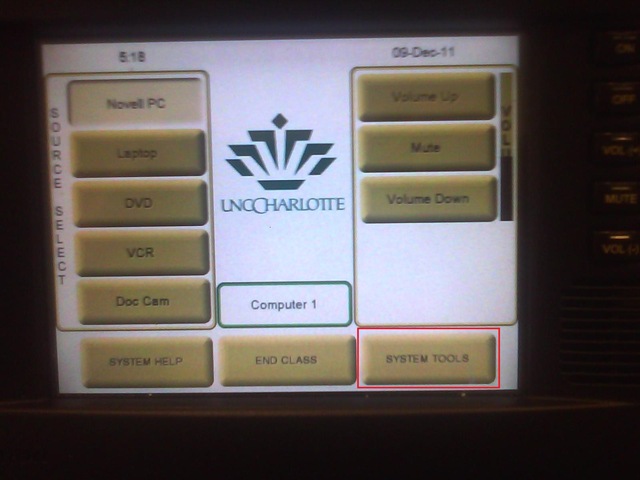
- Workaround: From the control panel Home screen, access soft button “system tools”

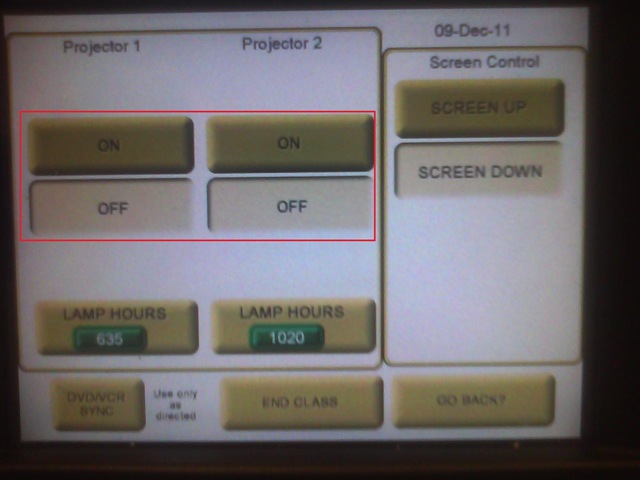
- Here you can manually turn the projector on/off (and the close the screens)

LRC computer and other hardware inventory
2011/11/24
Leave a comment
- These lists document hardware owned by the LRC:
- Symantec-Ghost generated.
- A handmade overview (partially based on the previous) can be (permissions provided) viewed or edited here.
Troubleshooting the wireless headsets in the TV viewing area
2011/11/18
Leave a comment
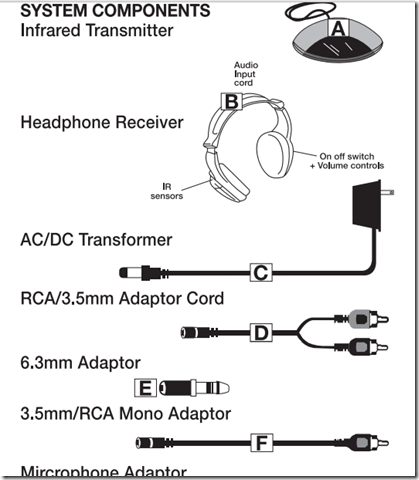
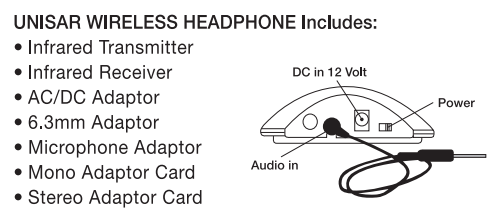
- For lack of small group work areas, the 3 headsets help sharing the LRCROOMCOED433. They amplify the sound for the TV viewing audience, allowing to turn the TV volume down so as not to disturb other users in the shared area.
- No sound?
- headsets turned on?
- headset volume turned up?
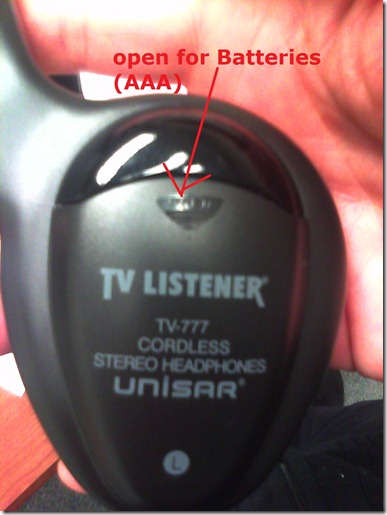
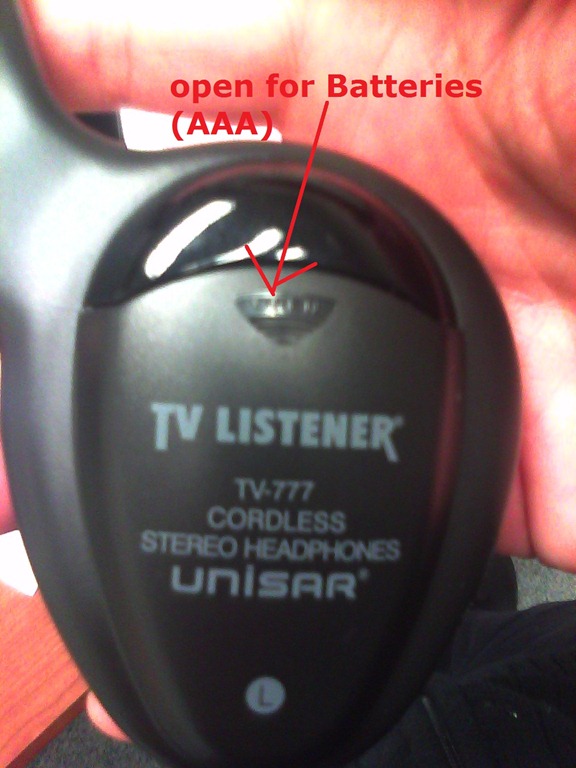
- headsets batteries dead?
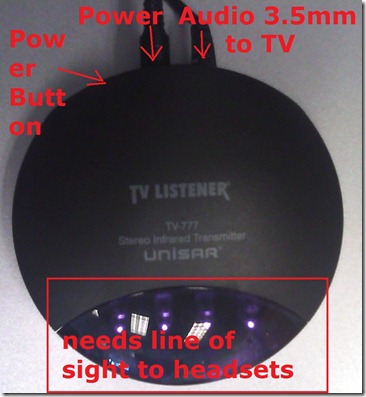
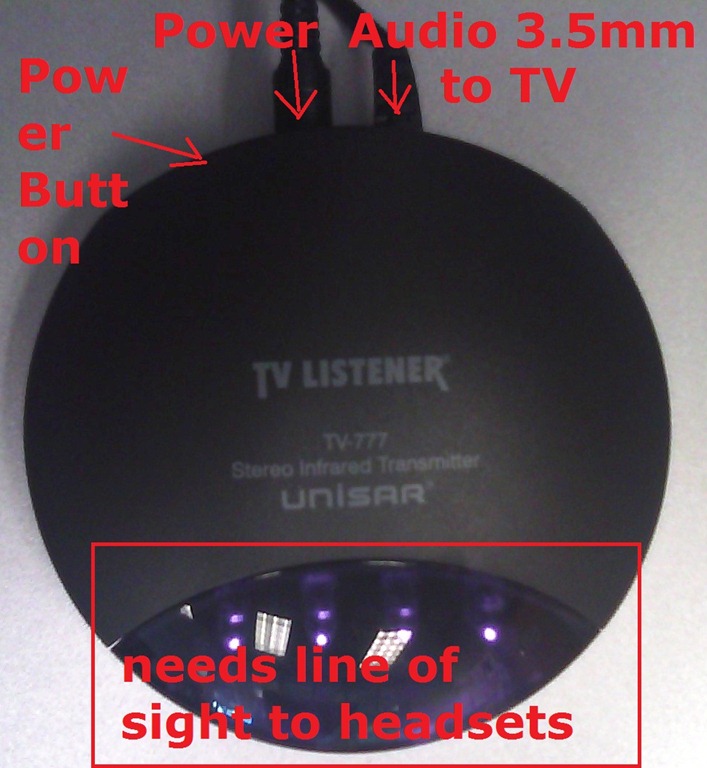
- transmitter turned on?
- Static noise on headsets?
- headsets batteries weak?
- no line of sight to transmitter?
- Other things you can try:
- a different headset. We have 3.
- a different transmitter. We have 2.
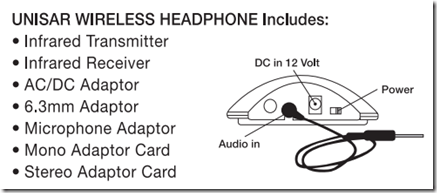
- An image says more than 1000 words:





Dell Studio XPS 16
2011/10/28
Leave a comment
- When coming to my desk today, my laptop made a grinding noise. Even worse, the noise later decreased, sounding like grinding to a halt.
- here is a recording:
- Fan? That cannot be good with a laptop that always ran hot (video card cannot be disabled during normal, non-gaming operation).
- keyboard developed a mind of its own after half a year: cursor began jumping at random.
- side panels: started peeling off within the first few weeks
Categories: hardware


Questions? Read the About. Or just ask me a quick Our Databases: Resources with calendars -- Language learning material Moodle Sites, multimedia files -- films


FAQs for LRC student staff or for students or for teachers. To search our FAQs, in the browser addressbar, add after "https://plagwitz.wordpress.com/feed/?tag=faqs+/" "+TAG1" (from tag cloud below) OR "https://plagwitz.wordpress.com/feed/tag=faqs
&category_name=" "CAT1" (from category hierarchy below). OR search both categories and tags, and multiple TAGs/CATs (connect with "," for OR-search, with "+" for AND-search), like so: https://plagwitz.wordpress.com/feed/?tag=TAG1+TAG2+...TAGn&category_name=CAT1
+CAT2+...CATn"
Other ways to find help
If you cannot find it here, look there: 5,500 Language-Learning Links and Programs for learning or teaching 150 languages
Shortcuts:Our Lists, Our Maps, LRC Staff Moodle Site,LRC Project Moodle Site, 49erexpress, UNCC Moodle, Student Recordings: s:claslcslrcsanakostudent
Learning usage samples: Sanako oral exam, Kaltura webcam presentation, Dictation with speech recognition, Sanako written exam, Chinese and Japanese interactive stroke-order practice
Test the Sanako Installer, Webbrowser Popup Konfigurator for XP, or Windows7, faster LRC TeacherPC Log-in Let MS facilitate diacritics writing by installing for you US-International keyboard layout
This is my personal blog (Google+). The views expressed on these pages are mine alone and not those of my employer. The information in this weblog is provided “AS IS” with no warranties, and confers no rights.
 Thomas' Work Space