Archive
What is “Content location” in Sanako Study Student Recorder (including Lite) for?


- While working on rolling out the free Sanako Light recorder to all faculty computers in a more systematic, automated way, the question has come up:
- What is “Content location” in Sanako Study Student Recorder (Ver 6, including Lite) “Administrative Settings” for, and how can it accept a URL?
- No such field in Ver 5.51; no mention in the help file; no manual this new (free) version would help seems included with the download.
- I am trying to point the “My files” to a more shared and LRC-accessible location on our SANAKO network share. Should I try the same with “Content Location”, or is this (defaults to “Application Data”) a strictly temporary location for during authoring?
- Answer: Sanako seems to be planning using this for distributing their own learning materials, esp. for ESL.
How teachers can record audio materials here
The purpose of doing a recording of learning materials for the SANAKO during a faculty workshop is merely to get you started. The use of the SANAKO is not limited to the LRC. After taking the workshop, you can:
-
if needed,
-
check out one of the LRC faculty headphones (we have now 5 for faculty use in our list of LRC resources),
-
install the Sanako standalone recorder on your office or home PC,
-
-
start the recorder and press the red record button,
-
read your questions into the headset microphone, preferably after you have put them in the format of my exam template (consider this sample exam recording a model),
-
use something like a bell, whistle (or simply clap your hands) to create audible cues for when you want to start/stop speaking cues
-
watch the timer on the Student Recorder to leave the same amount of response time for the students as you announced after the questions
-
save the file to the proper location that I listed here: https://thomasplagwitz.com/2012/11/06/how-teachers-find-their-sanako-materials/ .
That’s all. If you need a refresher, please come to one of my bi-weekly LRC “Sanako Clinics” that will appear in the LRC hours&events calendar.
The big LRC SANAKO “How do I…?”
(Work in progress).
View larger Word version than this embed:
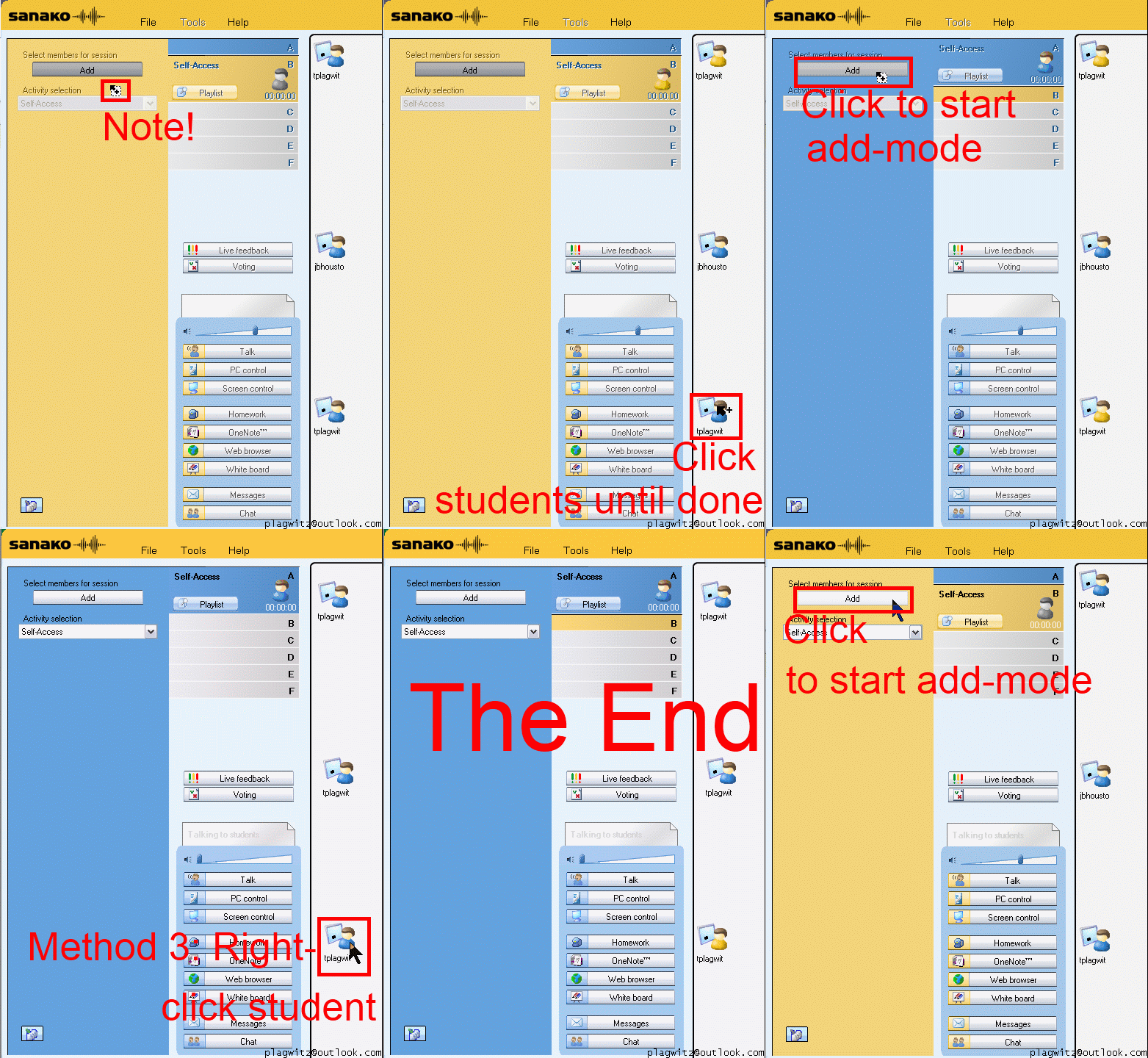
How a teacher can differentiate students into groups in Sanako Study 1200–the ultimate training summary…


How to terminate Sanako student.exe
- Since I am getting search engine hits from the above query on my blog, a quick answer:
- You likely need to terminate the helper.exe in the process manager first, since this service restarts the student.exe, for the good reason that
- you do not want students to opt out of your Sanako class,
- and also in case of student.exe crashes.
- Now here is wondering why you want to terminate it….

Some concrete examples on how to use the Sanako Study 1200 Playlist and Pairing in language teaching
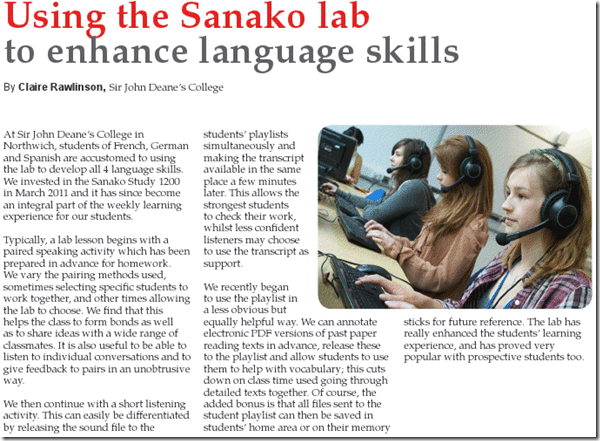
From the Sanako-UK Fall 2012 Newsletter – click on the link or article for accessing the full newsletter (Hint: No need to wear suit&tie when using the LRC Sanako; headsets, however, tend to be a required accessory ).
).
You can learn more here on how to use Playlist and Pairing. Or visit our Fall 2012 Faculty Workshop I: Intermediate Sanako Teaching Techniques and the following Fall 2012 Faculty Workshop II: Clinic on creating teaching materials for use with the Sanako


Questions? Read the About. Or just ask me a quick Our Databases: Resources with calendars -- Language learning material Moodle Sites, multimedia files -- films


FAQs for LRC student staff or for students or for teachers. To search our FAQs, in the browser addressbar, add after "https://plagwitz.wordpress.com/feed/?tag=faqs+/" "+TAG1" (from tag cloud below) OR "https://plagwitz.wordpress.com/feed/tag=faqs
&category_name=" "CAT1" (from category hierarchy below). OR search both categories and tags, and multiple TAGs/CATs (connect with "," for OR-search, with "+" for AND-search), like so: https://plagwitz.wordpress.com/feed/?tag=TAG1+TAG2+...TAGn&category_name=CAT1
+CAT2+...CATn"
Other ways to find help
If you cannot find it here, look there: 5,500 Language-Learning Links and Programs for learning or teaching 150 languages
Shortcuts:Our Lists, Our Maps, LRC Staff Moodle Site,LRC Project Moodle Site, 49erexpress, UNCC Moodle, Student Recordings: s:claslcslrcsanakostudent
Learning usage samples: Sanako oral exam, Kaltura webcam presentation, Dictation with speech recognition, Sanako written exam, Chinese and Japanese interactive stroke-order practice
Test the Sanako Installer, Webbrowser Popup Konfigurator for XP, or Windows7, faster LRC TeacherPC Log-in Let MS facilitate diacritics writing by installing for you US-International keyboard layout
This is my personal blog (Google+). The views expressed on these pages are mine alone and not those of my employer. The information in this weblog is provided “AS IS” with no warranties, and confers no rights.
 Thomas' Work Space