Archive
Protected: Example 4: Speech recognition tutorial and voice training in Japanese on Windows 7
Protected: Example 3 of Speech recognition dictation exercise in Spanish on Windows 7
Protected: Example 1 of speech recognition dictation exercise in Spanish on Windows 7
Protected: Example 2 of Speech recognition dictation exercise in Spanish on Windows 7
Arachne, online database for archaeology
“ARACHNE is the free [account creation required] object database of DAI and the Institut of Classical Archaeology in Cologne. It provides more than 1 Million images of finds, architecture and excavations with meta information as well as digitised historical literature” (http://www.ariadne-infrastructure.eu/Services/Online-Services: Find more information and help on this page). Example of Advanced Search start choice page: 
Continue with Einzelmotive (singular motifs) (gets you back into an English interface also – the field-specific explanation on the right certainly helps): 
There is auto-search completion/suggestion, however, it seems to work only for German, and very eclectic: 
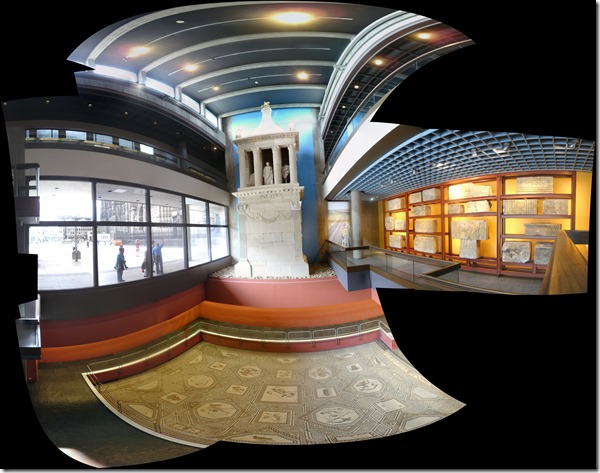
Beats having to plaster your surroundings with photos for making your own panoramas. 
Bad audio quality in Moodle Kaltura recordings on iMacs under ambient sound conditions. A running log (closed)
- Symptom: See title.
- Cause: While speakers of the 3.5 mm headset take over from the iMac speakers, when plugged in, the 3.5 mm headset micro does not disable the webcam micro. The webcam micro remains the recording source for Moodle Kaltura (mac os x.6, safari 6, flash 10).
- Possible solutions:
1st choice: is there a way for the admin to override this permanently?2nd choice: is there a way for the end user to override this on a case-by-case basis?- "The Califone 3066AV is compatible with both Windows and Mac audio outputs (but is not compatible with iMacs)." ("The Wow starts now!").. Do we have to tie up our boom and lavalier microphones for this?
- Try the flash settings by right clicking in the video window, selecting the microphone icon, then choosing the external (= non-webcam) microphone for input.
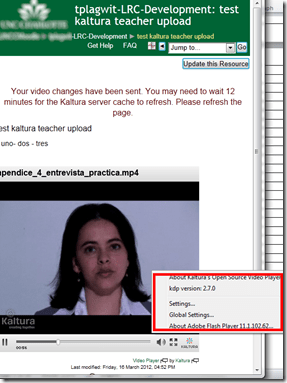
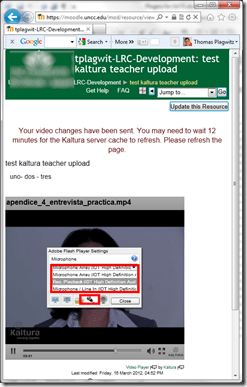
- Fail. The real culprit is the iMacs line-in audio-in for which you need a preamp to get it to work with analog microphones. Preamps seem to start at $40, but for that I can get a PC webcam (Microphone included).
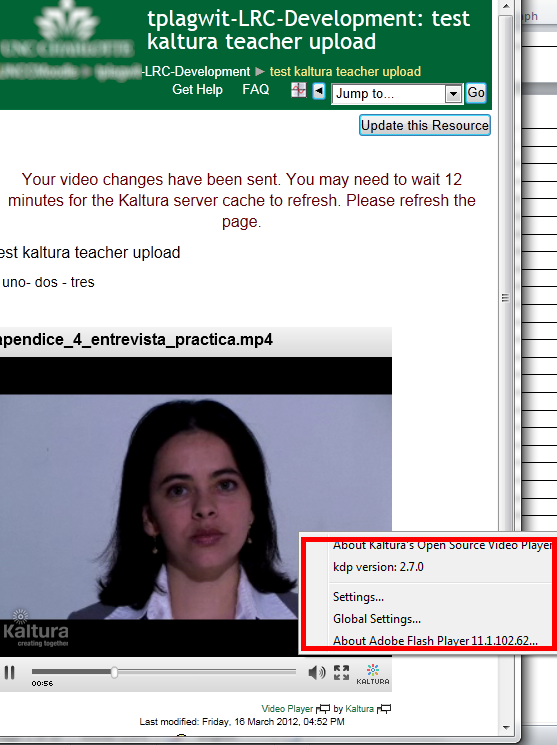

Windowing system infinite loop on windows 8.1
-
Rather annoying, no getting out of this loop, endless window foreground switching, but also unclear about the screen resolution, it seems. Ha
-
Oh, wait, I changed the dpi scaling, but chose to not log off, has that got something to do with this? Well, I have seen this loop behavior before, and I also frequent get terrible slowdowns which I have not been able to do root cause analysis for (also video-related? or network? )
-
Either way, likely related frequent explorer crashes which downgrade from aero. Sometimes I lose Aero’s advanced task scheduler completely, here I have a screenshot of it just coming back:

-
Have not been able to find other similar problem / but reports – something wrong with my setup then? (never mind that my camera has its own infinite loop auto focus bug.



Questions? Read the About. Or just ask me a quick Our Databases: Resources with calendars -- Language learning material Moodle Sites, multimedia files -- films


FAQs for LRC student staff or for students or for teachers. To search our FAQs, in the browser addressbar, add after "https://plagwitz.wordpress.com/feed/?tag=faqs+/" "+TAG1" (from tag cloud below) OR "https://plagwitz.wordpress.com/feed/tag=faqs
&category_name=" "CAT1" (from category hierarchy below). OR search both categories and tags, and multiple TAGs/CATs (connect with "," for OR-search, with "+" for AND-search), like so: https://plagwitz.wordpress.com/feed/?tag=TAG1+TAG2+...TAGn&category_name=CAT1
+CAT2+...CATn"
Other ways to find help
If you cannot find it here, look there: 5,500 Language-Learning Links and Programs for learning or teaching 150 languages
Shortcuts:Our Lists, Our Maps, LRC Staff Moodle Site,LRC Project Moodle Site, 49erexpress, UNCC Moodle, Student Recordings: s:claslcslrcsanakostudent
Learning usage samples: Sanako oral exam, Kaltura webcam presentation, Dictation with speech recognition, Sanako written exam, Chinese and Japanese interactive stroke-order practice
Test the Sanako Installer, Webbrowser Popup Konfigurator for XP, or Windows7, faster LRC TeacherPC Log-in Let MS facilitate diacritics writing by installing for you US-International keyboard layout
This is my personal blog (Google+). The views expressed on these pages are mine alone and not those of my employer. The information in this weblog is provided “AS IS” with no warranties, and confers no rights.
 Thomas' Work Space