Archive
FERPA in the Language Resource Center
Here I am collecting (i.e. simply curating; my thanks go to http://www2.ed.gov/policy/gen/guid/fpco/ferpa/students.html and http://counsel.cua.edu/ferpa/questions/index.cfm) guidance and a few opinions on cases that are common in the Language Resource Center:
- http://www2.ed.gov/policy/gen/guid/fpco/ferpa/students.html:
This guidance document is designed to provide eligible students with some general information regarding FERPA and their rights, and to address some of the basic questions most frequently asked by eligible students. You can review the FERPA regulations, frequently asked questions, significant opinions of the Office, and other information regarding FERPA at our Website as follows:
www.ed.gov/policy/gen/guid/fpco/index.html
The term "education records" is defined as those records that contain information directly related to a student and which are maintained by an educational agency or institution or by a party acting for the agency or institution.
FERPA generally prohibits the improper disclosure of personally identifiable information derived from education records.
Another exception permits a school to non-consensually disclose personally identifiable information from a student’s education records when such information has been appropriately designated as directory information. "Directory information" is defined as information contained in the education records of a student that would not generally be considered harmful or an invasion of privacy if disclosed. Directory information could include information such as the student’s name, address, e-mail address, telephone listing, photograph, date and place of birth, major field of study, participation in officially recognized activities and sports, weight and height of members of athletic teams, dates of attendance, degrees and awards received, the most recent previous educational agency or institution attended, grade level or year (such as freshman or junior), and enrollment status (undergraduate or graduate; full-time or part-time).
A school may disclose directory information without consent if it has given public notice of the types of information it has designated as directory information, the eligible student’s right to restrict the disclosure of such information, and the period of time within which an eligible student has to notify the school that he or she does not want any or all of those types of information designated as directory information. Also, FERPA does not require a school to notify eligible students individually of the types of information it has designated as directory information. Rather, the school may provide this notice by any means likely to inform eligible students of the types of information it has designated as directory information.
Pasted from <http://www2.ed.gov/policy/gen/guid/fpco/ferpa/students.html>
- Q Is a student’s assignment (written or perhaps a video production), once handed in to a professor, an education record protected by FERPA? A In a September 1, 1993, opinion letter to the American Library Association, LeRoy Rooker, the Director of the Family Policy Compliance Office, stated the following: "Generally any written examination or paper that is prepared by a student and that reveals or discloses a student’s identity would be considered an ‘education record’ under [the regulatory] definition (so long as it is maintained by the institution). That is, in ordinary circumstances FERPA prevents an institution from disclosing or publishing a student’s written examination or paper without prior written consent, except in accordance with the specific exceptions set forth in 34 C.F.R. § 99.31." 34 CFR 99.31 lists a number of exceptions, including disclosure to other school officials with a legitimate educational interest; disclosure in connection with financial aid for certain purposes; stated and local educational authorities; and to accrediting organizations among others."
-
- Q. My institution has migrated to Google for email and now is interested in making Google Docs available to the community. The idea is that faculty and students will be able to collaborate on documents using Google Docs which would make the learning environment richer. I am concerned that this "sharing" may inadvertently lead to the inappropriate disclosure of FERPA protected information especially the information of those students who have opted out of disclosing "directory information". I would love to learn what other institutions have done to deal with this issue. A. The first thing to figure out is whether your contract with Google (which typically covers both e-mail and apps together) is FERPA-compliant to begin with. Google doesn’t "volunteer" that, so chances are it isn’t, which raises issues as to whether you can disclose information even to Google. To the extent that the "docs" are accessible only to students enrolled in a particular class, I believe that your faculty have some leeway to discuss students and their work — much as they do in a physical class. (For example, FPCO has stated that students have no right under FERPA to remain anonymous in class, and, as one Justice noted in the Owasso case, much to the dismay of law students everywhere, FERPA does not prohibit use of the Socratic method.) However, if the "docs" are accessible more broadly, your faculty could not post anything that would constitute an education record without the student’s consent, and it’s worth thinking through, from a policy perspective, whether faculty should be allowed to require students to post things directly to an open site. Another issue to think through is copyright. While most of the commercial CMS systems are now capable of facilitating TEACH compliance easily, through integration with your SIS, my understanding of Google Apps is that it currently would require each individual faculty member to take all of the necessary steps manually. Answer courtesy of Steven J. McDonald, General Counsel, Rhode Island School of Design.
- Q. An on-campus speaker was videotaped, and the sponsoring department wants to put the video up on its website (i.e., non-commercial use). The videographer was in plain sight. The speaker’s consent was obtained, but not those of students who asked questions (mostly off-camera). Anyone have a problem with posting the video? A. If any of the students are "personally identifiable" (under FERPA’s broad definition), I think you’d need FERPA consent. In a similar context, FPCO has stated that the transcript of a hearing that was held open at the student’s request is still an "education record" and therefore can’t be released without the student’s consent. You can include photographs in your list of directory information, but I doubt FPCO would agree to audio, at least generically. Answer courtesy of Steven J. McDonald, General Counsel, Rhode Island School of Design.
- Q. My institution has migrated to Google for email and now is interested in making Google Docs available to the community. The idea is that faculty and students will be able to collaborate on documents using Google Docs which would make the learning environment richer. I am concerned that this "sharing" may inadvertently lead to the inappropriate disclosure of FERPA protected information especially the information of those students who have opted out of disclosing "directory information". I would love to learn what other institutions have done to deal with this issue. A. The first thing to figure out is whether your contract with Google (which typically covers both e-mail and apps together) is FERPA-compliant to begin with. Google doesn’t "volunteer" that, so chances are it isn’t, which raises issues as to whether you can disclose information even to Google. To the extent that the "docs" are accessible only to students enrolled in a particular class, I believe that your faculty have some leeway to discuss students and their work — much as they do in a physical class. (For example, FPCO has stated that students have no right under FERPA to remain anonymous in class, and, as one Justice noted in the Owasso case, much to the dismay of law students everywhere, FERPA does not prohibit use of the Socratic method.) However, if the "docs" are accessible more broadly, your faculty could not post anything that would constitute an education record without the student’s consent, and it’s worth thinking through, from a policy perspective, whether faculty should be allowed to require students to post things directly to an open site. Another issue to think through is copyright. While most of the commercial CMS systems are now capable of facilitating TEACH compliance easily, through integration with your SIS, my understanding of Google Apps is that it currently would require each individual faculty member to take all of the necessary steps manually. Answer courtesy of Steven J. McDonald, General Counsel, Rhode Island School of Design.
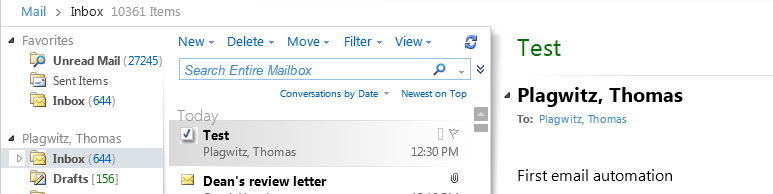
EWS are working
Protected: Meet the Resource Attendants and their Scheduling Assistants– or Who are these people, anyway?
Comparison of NLP Platforms
Not really a comparison, only a notebook compiled from online sources. Not really fit for publication either, unless “sharing is caring”. You can view a larger version here.
Protected: Moodle streaming video recording assignment glitches 3, 4, 5, 6, 7 & 8: A running log
How to display rows as percentage of grand total in Excel Pivot Tables
A few notes on Excel’s Version of OLAP cubes: Here is a note detailing the steps taken to display rows as percentage integers of the grand total.

Thoughts on use of MS-OneNote for Learner Portfolios in Interpreting?
What are aspects of portfolios, according to Wikipedia.org? Portfolios “document education, work samples and skills” “more in-depth than a resume” can. They come in different flavours: “developmental (e.g., working), reflective (e.g., learning), and representational (e.g., showcase)” and can contain “personal information, evaluations, sample work, and awards and acknowledgments”. If they are e-Portfolios, implying online, they can be “updated often” and with ease, and are “assembled and managed by a user” who controls the “varying degrees of audience access”. With this come “problems of exporting data and related interoperability issues” and the pros and cons of portfolios integrated into existing VLEs of educational institutions, who are initially easily available, but may lack in “learner-centered-ness” beyond the institutional affiliation.
In the OneNote ecosystem, there is a lot of student workbooks samples – may be closer to what I mean to be a portfolio, if they would groom it and reflect on their work –, plus a so called “Digital portfolio: Sample digital portfolio of a teacher that contains multiple sets of student work, stored and organized within OneNote. Includes homework, quizzes, tests and projects.”
“If you want to use recordings made in OneNote, be aware that the default recording quality for OneNote is not meant for speech recognition. We use a voice codec and bit rate/sample rate designed to compress spoken word audio as small as can be while still usable by human beings. In OneNote 2007 we increased the settings slightly to make audio search work better, but speech recognition (transcription) requires a much higher level of quality. To set up your future recordings in OneNote to be transcribable, first go to Tools/Options/Audio and Video. Switch the codec to Windows Media Audio 9.1 Professional. ”
8+x computers in the interpreting suite and maybe 8 extra in the language center could get us started. (an configuration of these computers which is different from the it labs configuration may save some money initially, but incurs maintenance cost permanently, which may be somewhat hidden, but is very real. so a site license for OneNote, if the licensing cost is reasonable at all, would probably be preferable. of course we are past the deadline for software image upgrades, i just managed to get the OneNote in the interpreting suite request in before the deadline).
if we want to enable students to work remotely, they need personal licenses. this is not necessarily expensive (ca 40 pounds for a full office 2007 suite from ms directly for students only which i recommend to any student just to get ms-word, much more so if you use more advanced office applications)..
one of the nicest features of ms-OneNote and which, even if i have not had a chance to test, would most likely strongly recommend using, is the following:
we can store these OneNote portfolios as shared files on our intranet so that students can keep editing /adding to them, and Danielle and other staff at the same time, without conflicts or need for copying and keeping files in synch, open for checking and giving feedback.
this seems much more usable than copying and transmitting (email is impossible, Weblearn, sans webdav and learner portfolio feature at least, very inconvenient) large multimedia files.
using this feature requires, however, a network share which the students can write to (which will also be required for the digitization of the interpreting suite, even my personal hack), and, if we want to support students doing this from home, probably VPN access (i do not think the current FTP access to the home drive would help us any with this task).
MS Project training notes

- Course is about setting up a project, not tracking (but beginnings will be covered)
- file menu
- save as: e.g. webpage
- edit
- undo: only 1 undo level
- tasks
- split
- view
- calendar
- :base calendar: tools / options
- tools / change calendar [how does this relate?]
- these are company holidays
- can it load holidays like outlook – yes, from project central server
- attach the calendar to the project: project / project information
- many projects are built from finish date, but that leaves no slack time
- tasks pane
- used only with project central server?
- tool bars
- standard
- format
- ask pane
- project: quicker ways than that
- insert subtasks
- simply press insert key to insert rows
- 0 duration = milestone (can also have a milestone with a duration)
- constraints
- difference between a deadline and a constraint: deadline is less important
- review
- start
- project start date: menu / project:
- calendars:
- base calendar = tools / options / calendar
- project calendar = tools / change working time / new
- assign / attach that project calendar to the project: menu: project: project information
- show holidays on Gantt chart: context menu: Gantt chart: nonworking time (option: in front of the taskbars: interrupts the taskbars)
- recurring tasks: menu: insert: recurring task
- set duration: d = day, m = minute, mo = month, w = week
- creating link relation ships
- visually by dragging tasks onto each other in the Gantt chart
- writing in field predecessors (sf is default, s=stat, f=finish, relation ship), -lag and +lead time
- constraints and deadlines
- resources
- types
- WORK: REUSABLE
- MATERIAL: CONSUMABLE
- groups
- teams
- internal or external
- suppliers
- max units
- e.g. FULL TIME OR HALF TIME PERSON
- types
- start
- last hour
- resources – critical (overrun) tasks
- reallocating resources to reduce slack and slippage
- baseline
- set: menu: tools / tracking / baseline
- in the Gantt chart, the blackline is the baseline
- tracking
- recommended to always display the tracking toolbar
- reports
- menu: view / reports
- resources – critical (overrun) tasks
- Outlook: level 2 training
- tracking
- split task
- update task
- customization (views, reports, filters)
- master projects
- resource pools
- tracking


Questions? Read the About. Or just ask me a quick Our Databases: Resources with calendars -- Language learning material Moodle Sites, multimedia files -- films


FAQs for LRC student staff or for students or for teachers. To search our FAQs, in the browser addressbar, add after "https://plagwitz.wordpress.com/feed/?tag=faqs+/" "+TAG1" (from tag cloud below) OR "https://plagwitz.wordpress.com/feed/tag=faqs
&category_name=" "CAT1" (from category hierarchy below). OR search both categories and tags, and multiple TAGs/CATs (connect with "," for OR-search, with "+" for AND-search), like so: https://plagwitz.wordpress.com/feed/?tag=TAG1+TAG2+...TAGn&category_name=CAT1
+CAT2+...CATn"
Other ways to find help
If you cannot find it here, look there: 5,500 Language-Learning Links and Programs for learning or teaching 150 languages
Shortcuts:Our Lists, Our Maps, LRC Staff Moodle Site,LRC Project Moodle Site, 49erexpress, UNCC Moodle, Student Recordings: s:claslcslrcsanakostudent
Learning usage samples: Sanako oral exam, Kaltura webcam presentation, Dictation with speech recognition, Sanako written exam, Chinese and Japanese interactive stroke-order practice
Test the Sanako Installer, Webbrowser Popup Konfigurator for XP, or Windows7, faster LRC TeacherPC Log-in Let MS facilitate diacritics writing by installing for you US-International keyboard layout
This is my personal blog (Google+). The views expressed on these pages are mine alone and not those of my employer. The information in this weblog is provided “AS IS” with no warranties, and confers no rights.
 Thomas' Work Space