Archive
Archive for the ‘audience-is-language-learning-center-staff’ Category
LRC Outlook/Exchange 2010 Resource Calendaring: How to alter meeting times in OWA
2012/03/16
Leave a comment
- Changed your mind/requirements about a meeting time you made?
- Go to your NINERMAIL Calendar, open the meeting, alter the times from the dropdowns (use the “scheduling assistant” to check for conflicts of the new time), click “Send update”
How to get sound on listening station computers by increasing the volume-levels
2012/02/29
Leave a comment
- On the listening stations, if you have the headsets plugged into the connectors on the rear of the computer, and hear no sound, you may have the volume set to too low.
- Go to (1) control panel, (2) icon:sound, (3) tab:audio, (4)button:volume
- in the mixer dialogue, (6) menu:options, make sure that all the (6) volume slider controls are checked, i.e. shown, click “OK”.

- Move the volume sliders up for WAVE and SW SYNTH

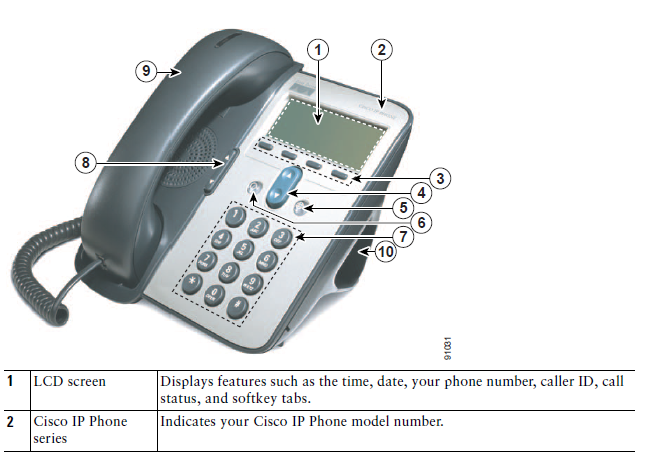


LRC Coed037 Film studies lab
2012/02/15
Leave a comment
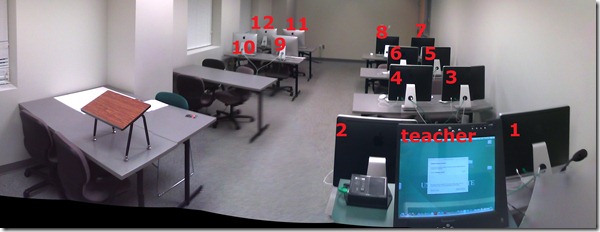
- Panorama with computer numbering in lieu of a layout

Categories: audience-is-IT-staff, audience-is-language-learning-center-manager, audience-is-language-learning-center-staff, audience-is-students, audience-is-teachers, documentation, e-infrastructure, Film-studies, Institution-is-University-of-North-Carolina-Charlotte, Photos, presenter-computer, student-computers
maps
ProofPoint Email archiving
2012/02/15
Leave a comment
- UPDATE: location (http://mail.uncc.edu/archive) and availability (all) have changed.
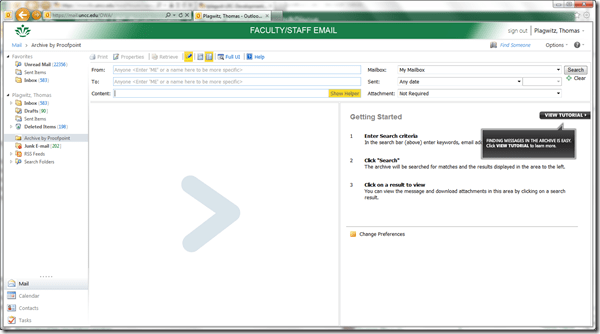
- This email archive search

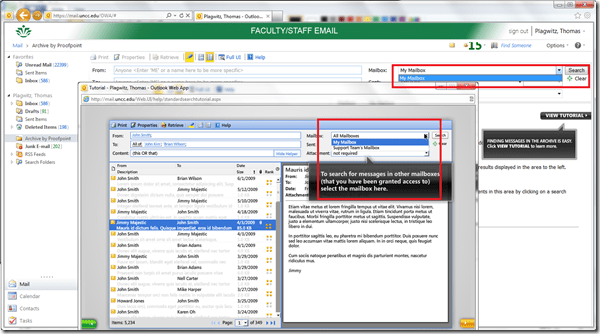
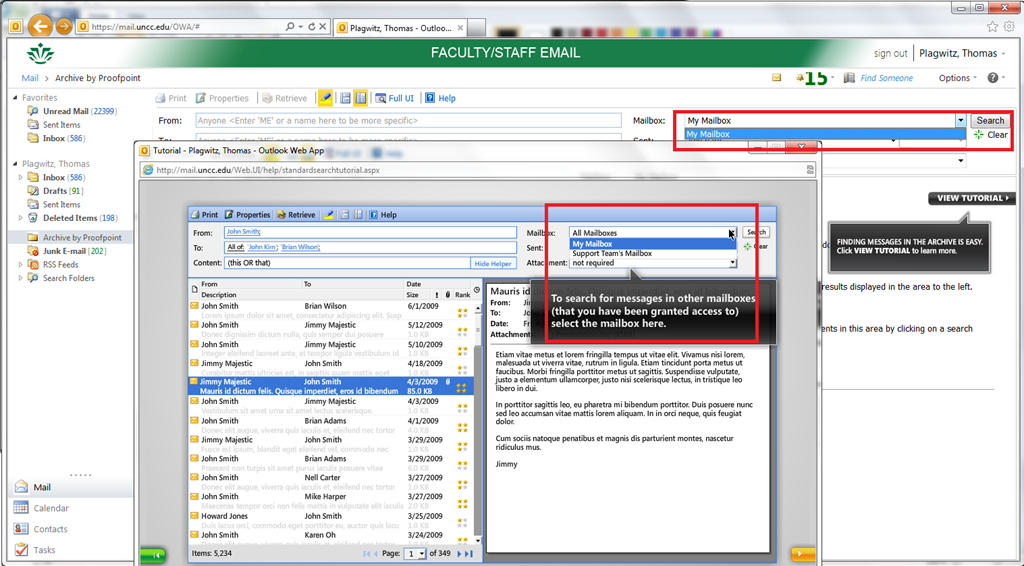
- includes the capability to search other mailboxes, if you have been granted access, like archived institutional knowledge. The following screenshot shows both what options you see if you have been granted access, and what if not:


Acting as a Proxy when approving student workers’ time of behalf of others in Webtimeentry
2012/02/10
Leave a comment
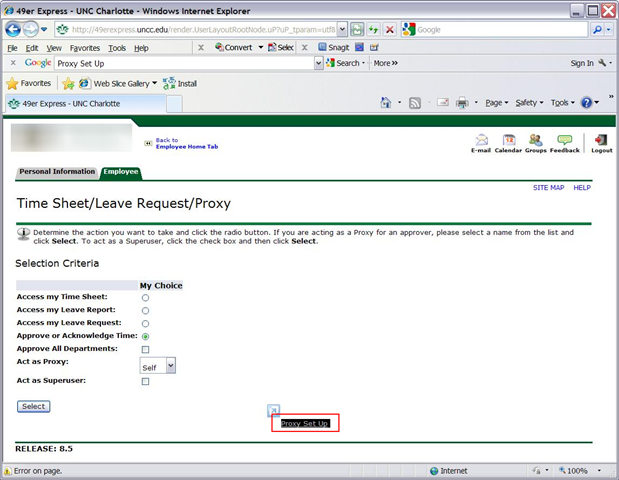
- You need to be set up as a proxy by the primary approver:

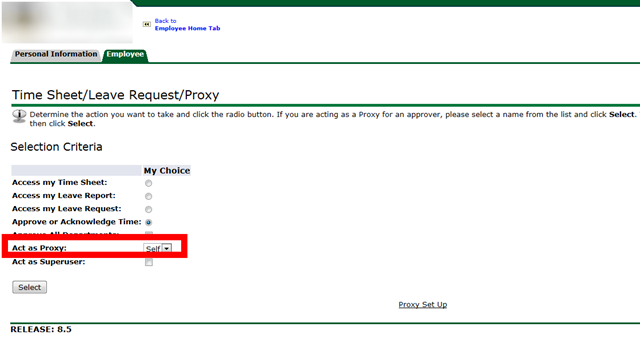
- Once you have been set up as a proxy:

- you can follow the instructions for the dropdown on the approve times screen:


Unable to edit MS-Excel online spreadsheet because of other user locking
2012/02/08
Leave a comment
- Problem: Why is a user opening a spreadsheet in the browser (even if with edit.aspx URL) causing a warning "The spreadsheet is locked by another user" if i try to open it in MS-Excel? I thought Excel Web App allows multiple uses to edit the spreadsheet at the same time?
- Solution: Opening the spreadsheet for editing in the browser still locks it for being opened in MS-Excel (and vice versa), but not for opening it for editing in another browser.
LRC demo, troubleshooting and debugging screencasts
2012/02/07
Leave a comment
- The LRC student PC image contains a file C:\temp\screencastfullhighaudio.wme
- Doubleclick or run the file, in the encoder window that comes up, click the green menu button to record your screen.
- When done demonstrating on screen, swtich back to the encoder window and click the red button to stop recording.
- Rename and archive (the student hard drive is “frozen”) the screencast video output file which you will find in c:\temp\screencast.wmv.


Questions? Read the About. Or just ask me a quick Our Databases: Resources with calendars -- Language learning material Moodle Sites, multimedia files -- films


FAQs for LRC student staff or for students or for teachers. To search our FAQs, in the browser addressbar, add after "https://plagwitz.wordpress.com/feed/?tag=faqs+/" "+TAG1" (from tag cloud below) OR "https://plagwitz.wordpress.com/feed/tag=faqs
&category_name=" "CAT1" (from category hierarchy below). OR search both categories and tags, and multiple TAGs/CATs (connect with "," for OR-search, with "+" for AND-search), like so: https://plagwitz.wordpress.com/feed/?tag=TAG1+TAG2+...TAGn&category_name=CAT1
+CAT2+...CATn"
Other ways to find help
If you cannot find it here, look there: 5,500 Language-Learning Links and Programs for learning or teaching 150 languages
Shortcuts:Our Lists, Our Maps, LRC Staff Moodle Site,LRC Project Moodle Site, 49erexpress, UNCC Moodle, Student Recordings: s:claslcslrcsanakostudent
Learning usage samples: Sanako oral exam, Kaltura webcam presentation, Dictation with speech recognition, Sanako written exam, Chinese and Japanese interactive stroke-order practice
Test the Sanako Installer, Webbrowser Popup Konfigurator for XP, or Windows7, faster LRC TeacherPC Log-in Let MS facilitate diacritics writing by installing for you US-International keyboard layout
This is my personal blog (Google+). The views expressed on these pages are mine alone and not those of my employer. The information in this weblog is provided “AS IS” with no warranties, and confers no rights.
 Thomas' Work Space