Archive
Moodle streaming video recording assignment glitch 9
- Are all things Moodle Kaltura on Windows better than on iMacs?
- I don’t think so (Windows 7, IE9): Webcamera cannot be activated, hourglass. Looks like the Flash security dialogue does not make it into the foreground.


LRC Outlook/Exchange 2010 Resource Calendaring: How to alter meeting times in OWA
- Changed your mind/requirements about a meeting time you made?
- Go to your NINERMAIL Calendar, open the meeting, alter the times from the dropdowns (use the “scheduling assistant” to check for conflicts of the new time), click “Send update”
What additional help can I get from the LRC to study my language?
The LRC’s mission is to support language study within the LCS course offerings and is focused on a learning approach that blends instructor-led learning with AI in both face-to-face and self-access settings. Because of the complexity of SLA, separate resources are not easy to align and combine with a well-structured syllabus and textbook publisher resources – neither for teachers and other course builders, nor for learners. Also, independent study is even more challenging than self-access as part of a course.
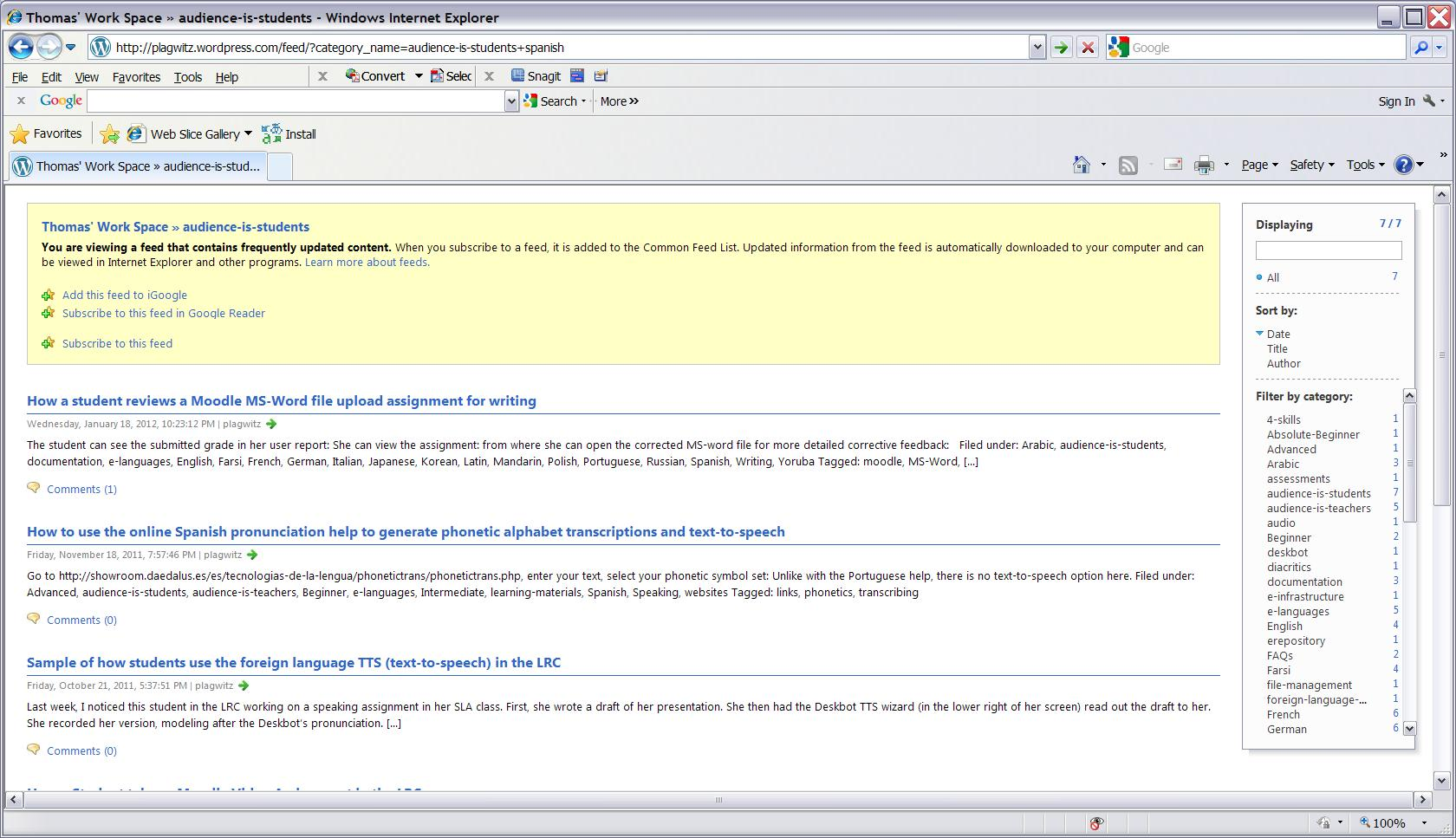
That being said, we have a host of resources listed that you may find of additional help. Look at our blog categories, and build a search in the browser address-bar, like combining (“+”) from our categories list the language (”Spanish”) with “the intended audience (“audience-is-students”) . If you use Internet Explorer for your search, you can easily search within your search results:
Download WordPress blog post overview into Excel table
See what I mean:  Downloading and browsing the full content XML is of course more powerful than this.
Problem verifying MAC image
I unmounted nevertheless

Protected: Timesheets Pivot Table
How to access most important LRC calendars from quick links on LRC home page
- Go to http://lrc.uncc.edu
- access like so:


- The default calendar view in OWA is monthly:
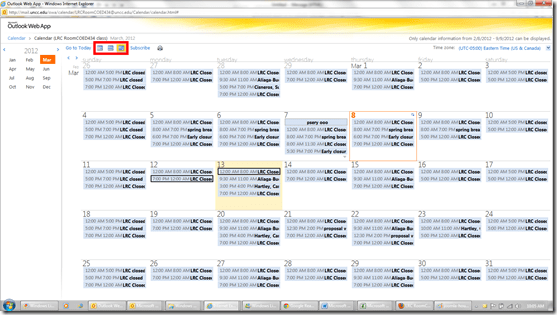
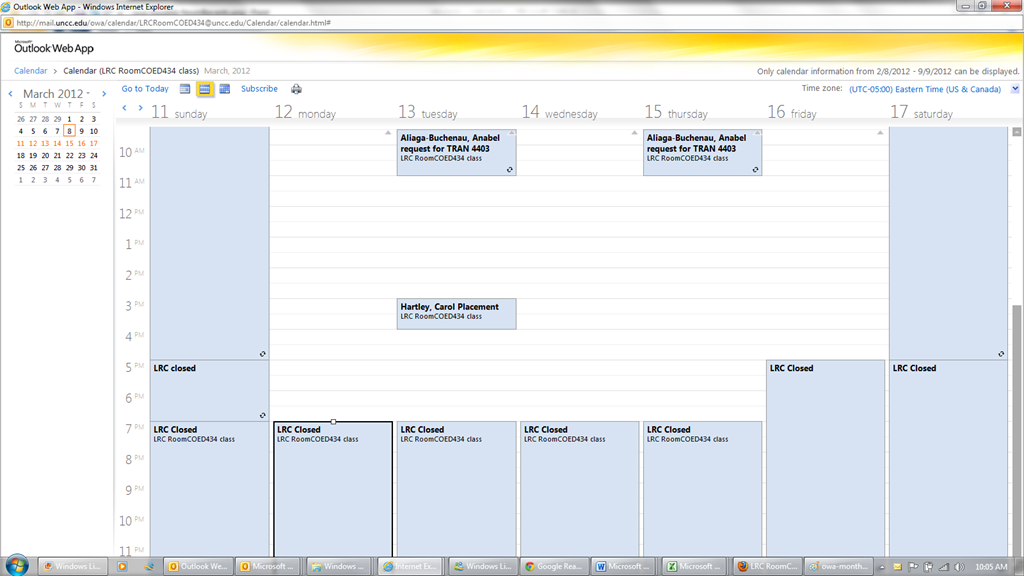
- From the top menu icons, you can easily change to weekly and daily views:

- The calendars are edited directly by the service-providing party, to stay up to date with the frequent changes in tutor availability (see #1 on Seven ways to think like the web; #4, getting them to stick to our “disciplined naming conventions” remains a work in progress).
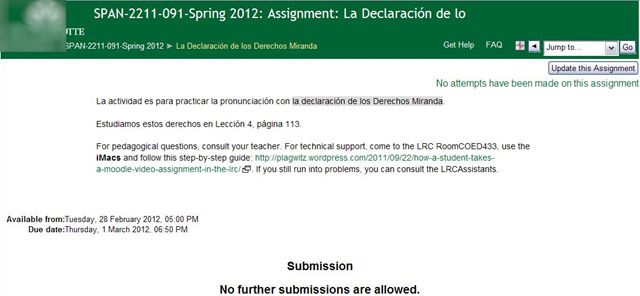
- Thanks to Joomla’s Publish/Unpublish feature, we also stand a chance keeping up with the frequent changes in tutors being sent to the LRC or not, by entirely hiding non-applicable calendars (so that students do not have to think about what we mean by “no time slots = sorry, currently no tutor”):





Questions? Read the About. Or just ask me a quick Our Databases: Resources with calendars -- Language learning material Moodle Sites, multimedia files -- films


FAQs for LRC student staff or for students or for teachers. To search our FAQs, in the browser addressbar, add after "https://plagwitz.wordpress.com/feed/?tag=faqs+/" "+TAG1" (from tag cloud below) OR "https://plagwitz.wordpress.com/feed/tag=faqs
&category_name=" "CAT1" (from category hierarchy below). OR search both categories and tags, and multiple TAGs/CATs (connect with "," for OR-search, with "+" for AND-search), like so: https://plagwitz.wordpress.com/feed/?tag=TAG1+TAG2+...TAGn&category_name=CAT1
+CAT2+...CATn"
Other ways to find help
If you cannot find it here, look there: 5,500 Language-Learning Links and Programs for learning or teaching 150 languages
Shortcuts:Our Lists, Our Maps, LRC Staff Moodle Site,LRC Project Moodle Site, 49erexpress, UNCC Moodle, Student Recordings: s:claslcslrcsanakostudent
Learning usage samples: Sanako oral exam, Kaltura webcam presentation, Dictation with speech recognition, Sanako written exam, Chinese and Japanese interactive stroke-order practice
Test the Sanako Installer, Webbrowser Popup Konfigurator for XP, or Windows7, faster LRC TeacherPC Log-in Let MS facilitate diacritics writing by installing for you US-International keyboard layout
This is my personal blog (Google+). The views expressed on these pages are mine alone and not those of my employer. The information in this weblog is provided “AS IS” with no warranties, and confers no rights.
 Thomas' Work Space