Archive
UCL Internet Grammar of English
I2speak.com: Web-based IPA Keyboard
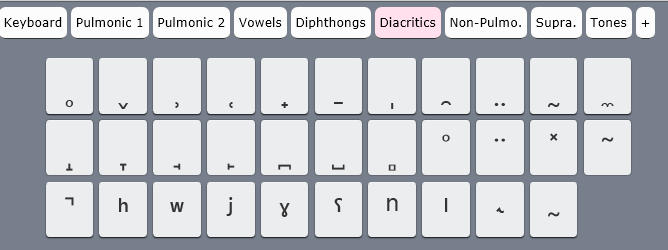
The Sciweavers Team announces http://www.i2speak.com: “an online Smart IPA Keyboard that lets you quickly type IPA phonetics without the need to memorize any symbol code. For every Roman character you type, a popup menu displays a group of phonetic symbols that share the same sound or shape beneath typed character. Use arrow keys to select the proper symbol then hit the Enter button. I2Speak also supports the following features:
1. The Sampa English Keyboard lets you type English phonetics using Roman characters according to SAMPA (Speech Assessment Methods Phonetic Alphabet) rules.
2. The IPA English Keyboard provides you with a full English phonetics keyboard. Press the symbol of interest using a suitable input device.
3. You can type directly on your physical keyboard or on the virtual on-screen keyboard using a suitable input device such as mouse or touch screen device.
4. You can change the keyboard symbols by selecting another layout from the list box located above the virtual keyboard.
5. For every keyboard layout, more symbols can be displayed by pressing the CAPS Lock.
6. When you hover the mouse over an English phonetic button, a slick tooltip will show some example English words.
7. You can save typed phonetics as an MS-Word file by clicking the Save button, copy them to clipboard using the Copy button, or post them to Twitter, Facebook, etc. by clicking the desired button.”



Protected: How to track staff and loan equipment times using the LRC checkinout.xlsm
How to identify graded participants in Moodle Course Activity Reports using Vlookup
- Having a chart of full names, Moodle id # and usernames would be useful (e.g. for debugging with the Activity Reports that in some cases do not resolve Moodle id# so Excel vlookup has to rescue the day once again…)
- The Moodle “Participants” affords the instructor a convenient list, with paging, sort, filter (by role), and different detail-level views.
- However, the overview does link course and student id #, but not institutional username while the detail view contain the username as part of the email, but is not truly tabular (consists of an array of tables, each containing one user; at least you can avoid the paging).
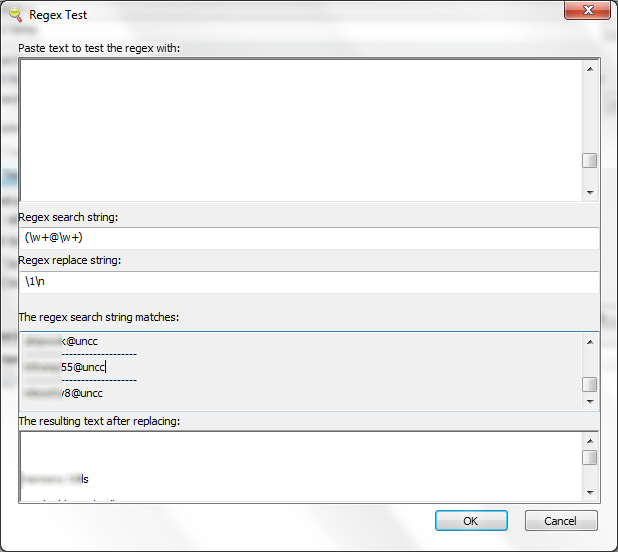
- Enter grepwin to extract the emails:

- and copy paste them into the Excel created from the tabular overview:
 Is there an easier way?

Protected: Students still in wrong time zones in live@edu
Farsi phonetic input using Behnevis
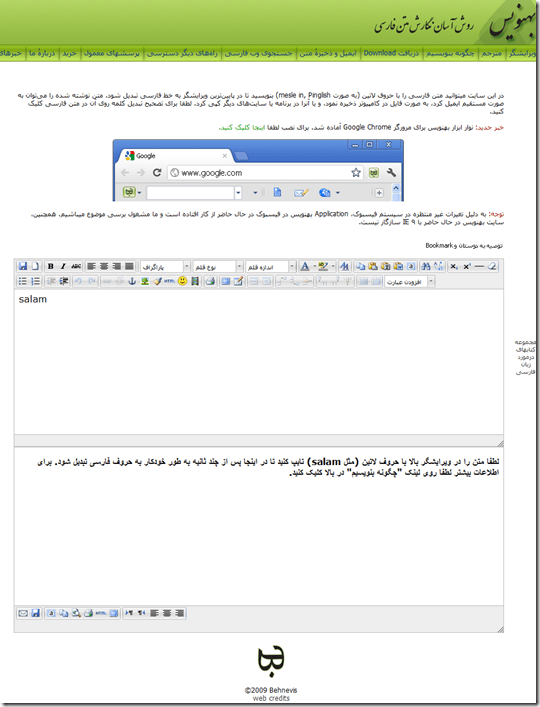
- Behnevis.com (web form or downloadable Google Chrome browser toolbar) offers transliteration of phonetic input in Roman letters into Farsi and is said to be on a par with Google translate (which offers no toolbar) and MS-UIME (which has no toolbar, but can be installed in your browser to alter any web page for users lacking a physical Farsi keyboard (or overlay).

Protected: Moodle streaming video recording assignment glitches 3, 4, 5, 6, 7 & 8: A running log


Questions? Read the About. Or just ask me a quick Our Databases: Resources with calendars -- Language learning material Moodle Sites, multimedia files -- films


FAQs for LRC student staff or for students or for teachers. To search our FAQs, in the browser addressbar, add after "https://plagwitz.wordpress.com/feed/?tag=faqs+/" "+TAG1" (from tag cloud below) OR "https://plagwitz.wordpress.com/feed/tag=faqs
&category_name=" "CAT1" (from category hierarchy below). OR search both categories and tags, and multiple TAGs/CATs (connect with "," for OR-search, with "+" for AND-search), like so: https://plagwitz.wordpress.com/feed/?tag=TAG1+TAG2+...TAGn&category_name=CAT1
+CAT2+...CATn"
Other ways to find help
If you cannot find it here, look there: 5,500 Language-Learning Links and Programs for learning or teaching 150 languages
Shortcuts:Our Lists, Our Maps, LRC Staff Moodle Site,LRC Project Moodle Site, 49erexpress, UNCC Moodle, Student Recordings: s:claslcslrcsanakostudent
Learning usage samples: Sanako oral exam, Kaltura webcam presentation, Dictation with speech recognition, Sanako written exam, Chinese and Japanese interactive stroke-order practice
Test the Sanako Installer, Webbrowser Popup Konfigurator for XP, or Windows7, faster LRC TeacherPC Log-in Let MS facilitate diacritics writing by installing for you US-International keyboard layout
This is my personal blog (Google+). The views expressed on these pages are mine alone and not those of my employer. The information in this weblog is provided “AS IS” with no warranties, and confers no rights.
 Thomas' Work Space