Archive

Posts Tagged ‘restore’

How to recycle your Moodle Course using backup/restore

Better do this before the first day of classes, but if you need a quick refresher:

Sharing and reusing Moodle learning content using backup and restore, part II: restoring

2011/12/15 4 comments

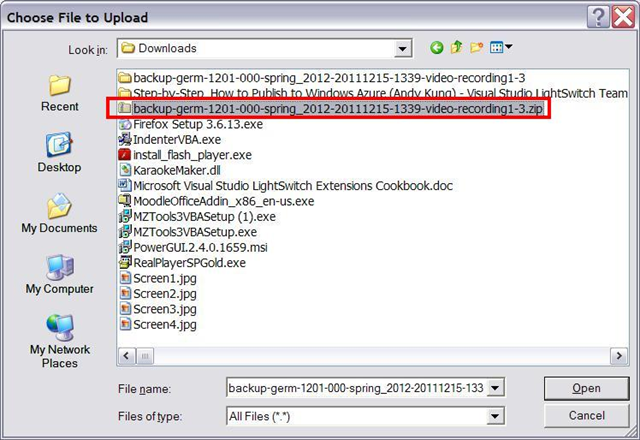
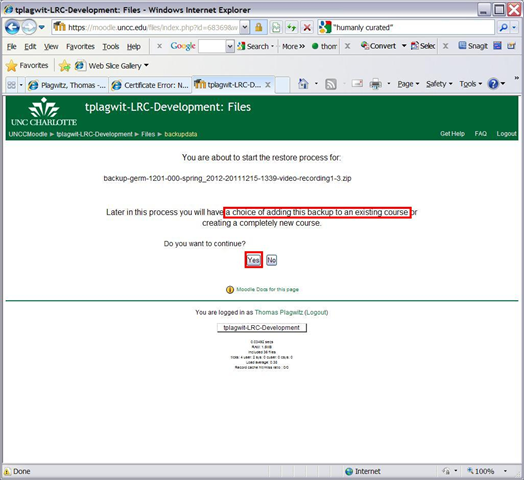
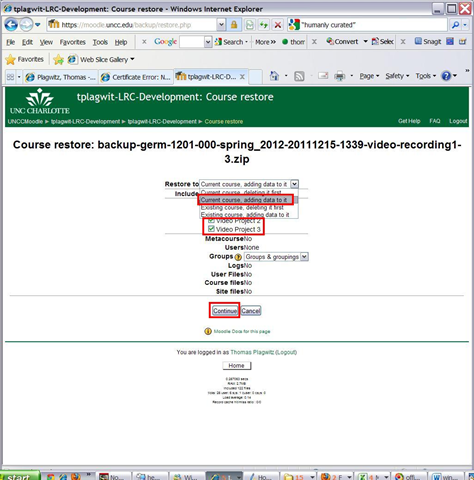
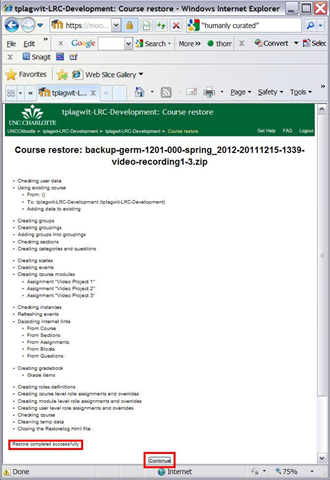
Here I am restoring the backup I made from a different user’s Moodle course in part 1:backup, to add the learning content to my own target course:

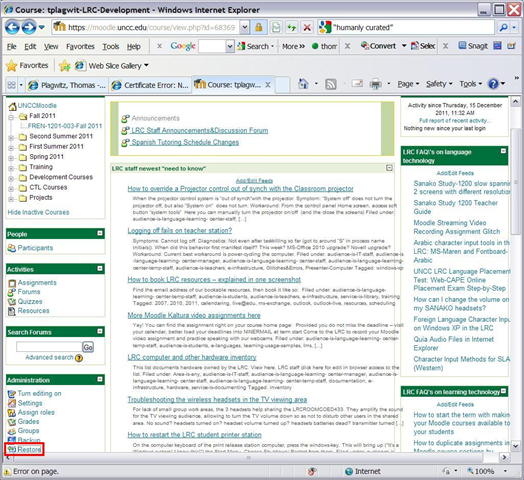
restore-uploadrestore-menu-itemrestore-upload1restore-upload2 restore-upload3 restore-upload4 restore-upload5 restore-upload6 restore-upload7 restore-upload8 restore-upload9 restore-upload10

Now how can we scale this collaboration on Moodle learning content without an erepository?

What are best practices for recycling Moodle course teaching content? A running log

  1. Guiding Questions:
  2. I am in the process of creating Moodle assignments with instructors. I am inclined to tell them that this is best done now, before the term starts. I have met several instructors who seem to redo all their Moodle assignments and other content, for each term and each section, and who change Moodle courses on the fly, in the middle of the term, adding identical assignments to multiple sections. When I taught with the LMS (in Blackboard environments), the entire course (content) was “rolled over” between terms (and copied into sections), after subtracting student data. What are best practices in Moodle for reusing/recycling such course content, across terms, sections, and instructors
  3. Is it possible to get entire course+instructor combinations recycled centrally and automatically, whenever an instructor teaches a course again, from the archive of the last version of the course, sans student data?
  4. Or does each instructor, any time she reteaches a course, have to manually reimport all materials she wants to reuse from her old courses? So far, I have followed this page: http://teaching.uncc.edu/Moodle/how-to/importing-Moodle-course (here is an example of using the import feature when adding assignments into multiple sections in the middle of the term: https://plagwitz.wordpress.com/tag/importing+moodle/). Can this be done before term start at least into one section, from which the other section is created by copying? What would be the cut-off date for that?
  5. Would instructors use the last live version of the course to go forward, like I did with Blackboard, or are instructors advised to develop all content in separate development courses, and selectively import content from there into live courses? Does each instructor have a development course by default? Is it possible/advisable for an instructor to have one development course per actual course she teaches (repeatedly)? Does access of instructors to past courses expire when they get archived, and when would that be?
  6. Finally, how could assignments be exchanged between instructors who teach the same courses? 
  7. Courses seem to be complex packages. Repackaging individual assignments from one generic development course into course packs while importing seems administrative overhead, unless there is a in-built support for packaging that allows to add course tags to content. On the other hand, courses need to be easily updateable: student data needs to be added and removed easily. Teacher content needs to be refined, possibly updated with some current materials each term.
  8. Exploration:
    1. files planning:
      1. When publishing files, I have been trying to restrict all information that needs regular updating (dates, fine tuning of assignments and grading) to the syllabus files which I upload every term. So that I can “roll over” the rest of the course, including its files. 
      2. observe the (max 64mb) file size limit in your Moodle courses
      3. You cannot use this procedure to share Kaltura videos, not even the ones a teacher made
    2. importing
      1. importing steps see here.
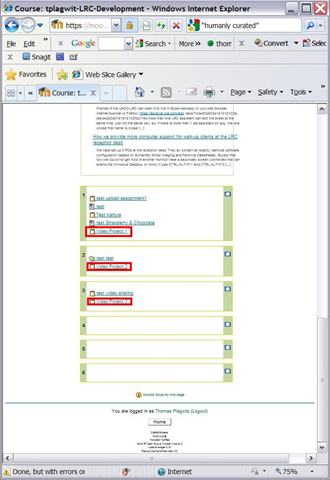
      2. To be seamless, source and target course need to have the same format (settings / topical, weekly or other). Otherwise, your exports from a weekly formatted course into a topically formatted course will get put into the topic number corresponding to the week # (which, if you have set to fewer topics than you had weeks, may effectively hide them. Not to worry, you can still retrieve them by adding topics to your course, then moving the assignments where you want them).
      3. backing up/restoring
        1. backing up see here 
        2. restoring see here
        3. more on backup/restore from the Moodle docs FAQ
        4. primary instructor can use assign roles to add other teachers to give them access to importing; better create an intermediate, not student-accessible Moodle course for sharing instead