Archive
Archive for the ‘all-languages’ Category
How to speed up jumping around YouTube videos in class with YouTubeCenter
2013/08/27
Leave a comment
- Problem: When you use – that is to say: analyze – YouTube video clips in a classroom setting – whether in Film studies or second language acquisition classes –, you will find yourself jumping around a lot in these clips. This can be slow and enter a lot of undesirable little interruptions into your teaching (or learning) flow.
- Root cause: Since pedagogical use is not the primary use case for YouTube videos, their download configuration defaults to streaming, which preloads the video only a few seconds ahead of the cursor or playhead.
- Solution:
- If you want to buffer or preload the entire YouTbue video clip before examining it in your class, you can install a browser add-on called YouTubeCenter.
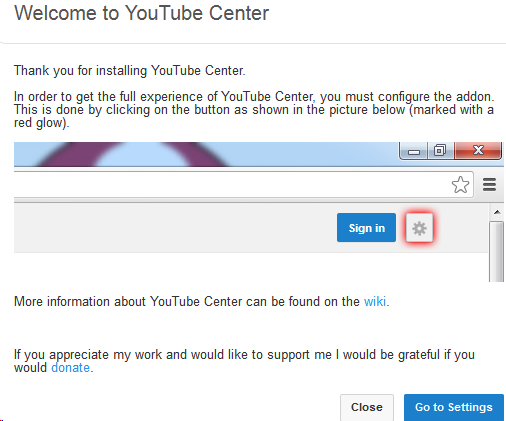
- Here is more on how to install YouTubeCenter.
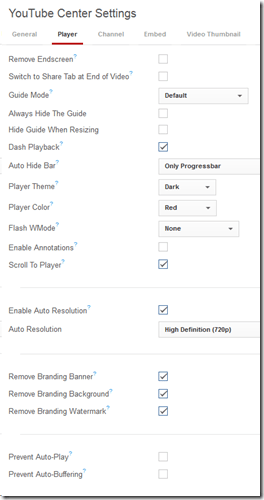
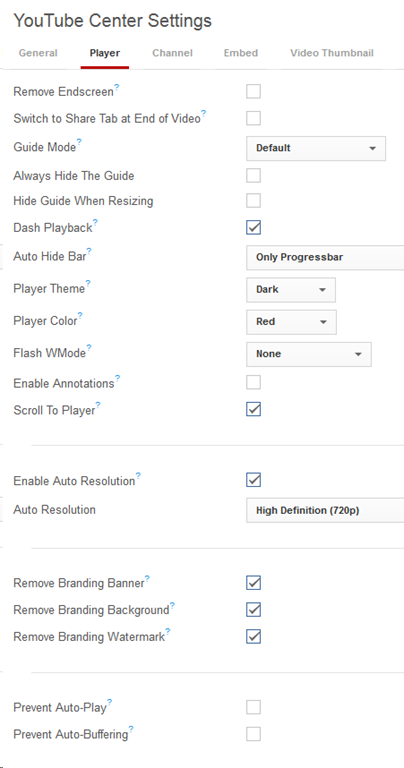
- No configuration necessary, ”Dash Playback” which buffers videos completely locally, is the default setting.
YouTube Center, a power user extension for your video usage in class
2013/08/27
Leave a comment
- YouTubeCenter comes for a variety of browsers, but note that Firefox seems the only practically supportable browser in our campus computing environment.
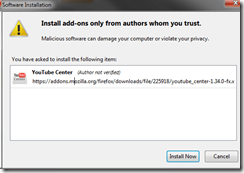
- To download and install, go to : https://addons.mozilla.org/en-us/firefox/addon/youtube-center/ and click on:


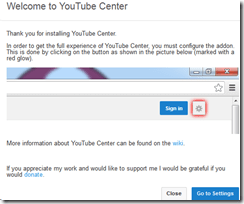
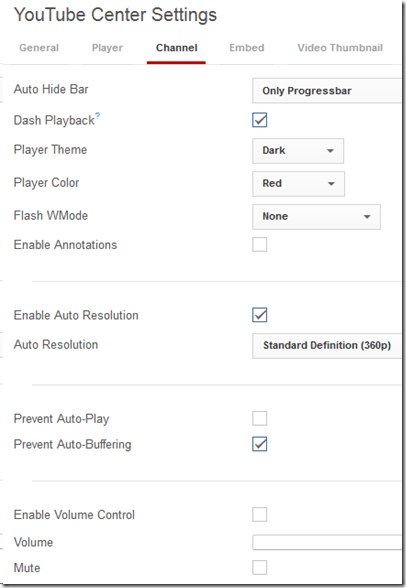
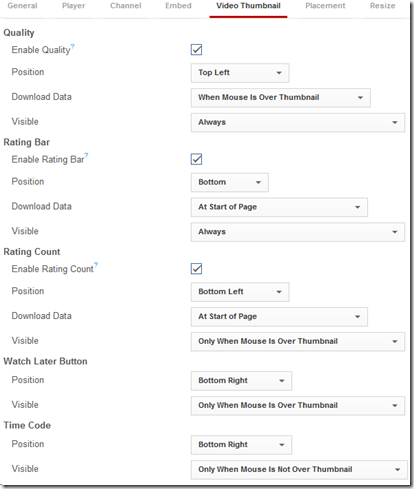
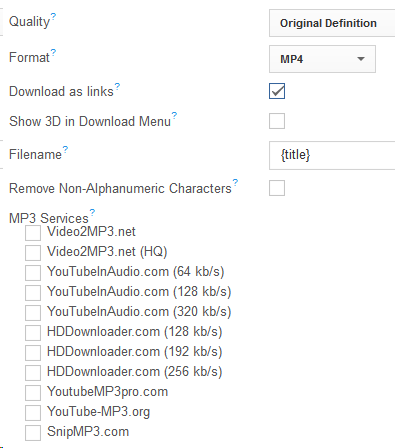
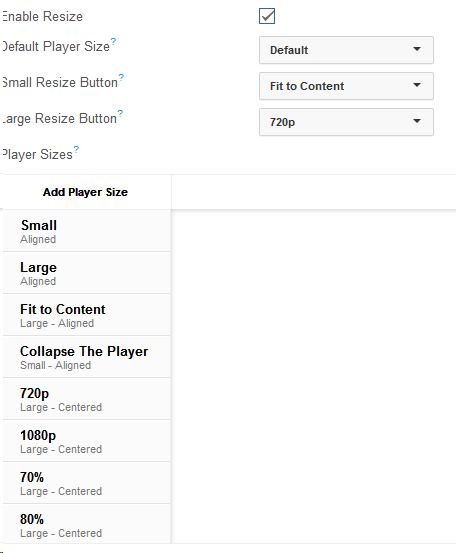
- There is not shortage of settings (e.g. preselected is the Dash Playback, useful to speed up jumping around a video, by disabling streaming):








Freely downloadable samples from the IPA Phonetics Handbook
2013/08/21
Leave a comment
- This handbook provides audio pronunciation samples (in WAV) for many different languages. While they are more useful in conjunction with the book, they also can be searched by filename (= the pronounced word in English translation).
- We make these file accessible in the LRC on the Sanako share (S:\COAS\LCS\LRC\media\TUTOR\phonetics\ipa-phonetics-handbook\). Here are the languages included:.
- American-English
- Amharic
- Arabic
- Bulgarian
- Cantonese
- Catalan
- Croatian
- Czech
- Dutch
- French
- Galician
- German
- Hausa
- Hebrew
- Hindi
- Hungarian
- Igbo
- Irish
- Japanese
- Korean
- Persian
- Portuguese
- Sindhi
- Slovene
- Swedish
- Thai
- Turkish
Categories: Arabic, e-languages, Farsi, French, German, Hebrew, Hindi, Japanese, Korean, learning-materials, Mandarin, Portuguese
audio, phonetics
Protected: McGraw-Hill Connect Online Textbook Teacher Links
2013/08/20
Enter your password to view comments.
Categories: audience-is-teachers, documentation, Documents, e-languages, Spanish
Demo of Puntos de partida on the McGraw-Hill Connect online platform for Hybrid Spanish teachers
2013/08/17
Leave a comment
- For your review:

- Highlights:
-
Learnsmart: adaptive learning content that asks for and tracks for the teacher and adapts for the student to students metacognitive confidence about her knowledge before testing it
-
In a flipped classroom setting, highest failure areas in the online learning results can be easily seen by the teacher to adapt the next class meeting.
-
Example 6: How even a false beginner can work with foreign language Speech recognition on Windows 7 Enterprise
2013/08/14
Leave a comment
- Executive summary: Don’t let initial poor speech recognition results discourage your from using this feature. Results will much improve if you go through a few minutes of the built-in voice training for speech recognition. Like in the last 30 seconds of this video.
- With the upgrade to Windows 7 Enterprise in the LRC – and the continued availability of high-quality Sanako headphones on the majority of LRC PCs – , we can now offer speech recognition in a number of foreign languages – including French.
- This feature can be used for language learning exercises, including dictation, like in this example. How robust is windows 7 speech recognition?
- You can expose yourself to some embarrassingly bad French in this screencast – and that is the point. (My French is limited to a mere 2 high school years of 3-hour per week voluntary French studies, more than 30 years ago, no practice since).
- The screencast shows how even a (false) beginner can,
- 0:00-1:00: from terrible initial results,
- 11:45-12:10: considerably improve (not make perfect!) the foreign language (here French) speech recognition on Windows 7,
- 1:00-10:40: by going through the built-in voice training.
- The LRC computers are “frozen”between reboots, but students still need to train them only once, since they can back up and restore their training data easily.

- (This is not proof of the overall validity of the recognition – for that, you are better off watching this screencast with Windows 7 Enterprise speech recognition in German).
Protected: How to configure the LangLabEmailer for your school, and share back
2013/06/07
Enter your password to view comments.
Categories: Arabic, assessments, assignments, audience-is-language-learning-center-manager, compiledcode, digital-audio-lab, e-languages, English, Farsi, French, German, Greek (modern), Hebrew, Hindi, Italian, Japanese, Latin, Mandarin, Polish, Portuguese, Russian, service-is-programming, Spanish, Speaking, Swahili, Writing, Yoruba
configuring, langlabemailer
Introducing the LangLabEmailer
2013/06/04
Leave a comment
- The LangLabEmailer helps integrating the digital audio lab (still widely operating based on files and network shares) into the departmental language teaching and learning process by automatically forwarding (audio, text) assessments and assignments collected in the digital audio lab to teachers and students via campus mail (using MS-Exchange automation).
- Easy on the Language Lab Manager who can "set up and forget": 1000s of assessment files will reach their originating students and teachers in near real time without you lifting a finger.
- To earn "extra credit", show your teachers how they can override the default LangLabEmailer behavior by adding “_noemailing” or “_nostudentemailing” to the folder name when saving their digital audio lab collections.
- Status of the language lab and purpose of the software
- Features
- Prerequisites
- Downloading
- Installing
- Configuring (and sharing back)
- Running or scheduling
- End User options
- Troubleshooting
- Requesting features
- Getting Updates
- Uninstalling
- Samples & questions at my IALLT 2013 session.


Questions? Read the About. Or just ask me a quick Our Databases: Resources with calendars -- Language learning material Moodle Sites, multimedia files -- films


FAQs for LRC student staff or for students or for teachers. To search our FAQs, in the browser addressbar, add after "https://plagwitz.wordpress.com/feed/?tag=faqs+/" "+TAG1" (from tag cloud below) OR "https://plagwitz.wordpress.com/feed/tag=faqs
&category_name=" "CAT1" (from category hierarchy below). OR search both categories and tags, and multiple TAGs/CATs (connect with "," for OR-search, with "+" for AND-search), like so: https://plagwitz.wordpress.com/feed/?tag=TAG1+TAG2+...TAGn&category_name=CAT1
+CAT2+...CATn"
Other ways to find help
If you cannot find it here, look there: 5,500 Language-Learning Links and Programs for learning or teaching 150 languages
Shortcuts:Our Lists, Our Maps, LRC Staff Moodle Site,LRC Project Moodle Site, 49erexpress, UNCC Moodle, Student Recordings: s:claslcslrcsanakostudent
Learning usage samples: Sanako oral exam, Kaltura webcam presentation, Dictation with speech recognition, Sanako written exam, Chinese and Japanese interactive stroke-order practice
Test the Sanako Installer, Webbrowser Popup Konfigurator for XP, or Windows7, faster LRC TeacherPC Log-in Let MS facilitate diacritics writing by installing for you US-International keyboard layout
This is my personal blog (Google+). The views expressed on these pages are mine alone and not those of my employer. The information in this weblog is provided “AS IS” with no warranties, and confers no rights.
 Thomas' Work Space