Archive
Independent study with free language learning materials from the FSI?
The Foreign Service Institute language learning materials – consisting of scanned documents and digitized audio of multiple courses per language – were still a heavily-advertised resource when I visited the Defense Language Institute in Monterey in 2006.
It is nice to see these resources be made available for free. It is also nice to see the progress that has been made not only in technological adaptation of textbook learning materials since these materials were made available (post WW II?).
This, however, comes at a cost. If you shun it, and do not take a course that works which requires (and entitles you to the use of) a textbook, here are easily accessibleviewable learning materials for a large set of languages, including many LCTL: Amharic, Arabic, Bulgarian, Cambodian, Cantonese, Chinese, Chinyanja, Czech, Finnish, French, Fula, German, Greek, Hausa, Hebrew, Hindi, Hungarian, Igbo, Italian, Japanese, Kirundi, Kituba, Korean, Lao, Lingala, Luganda, Moré, Polish, Portuguese, Romanian, Russian, Serbo-Croatian, Shona, Sinhala, Spanish, Swahili, Swedish, Tagalog, Thai, Turkish, Twi, Vietnamese, Yoruba.
The Forums , however seem to indicate that not too many still use these options. The transformation into a (technologically superficially) more modern format here is limited to very few languages and courses (and crashed my web browser).
How to use Google translate for writing Cyrillic letters with a western keyboard, pronunciation help, and text-to-speech
Go to Google translate and do like so. Useful for learning, as well as typing when teaching.
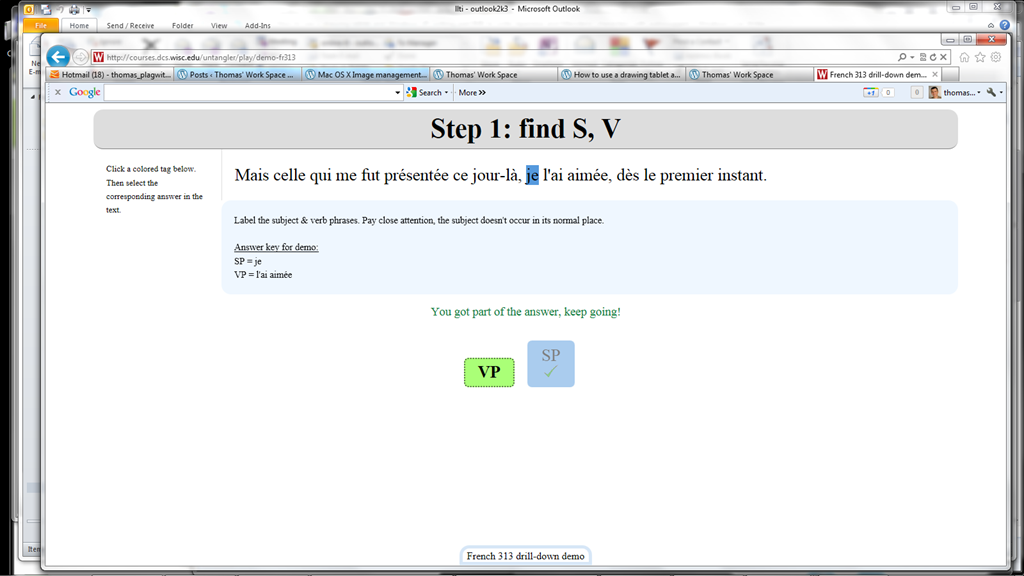
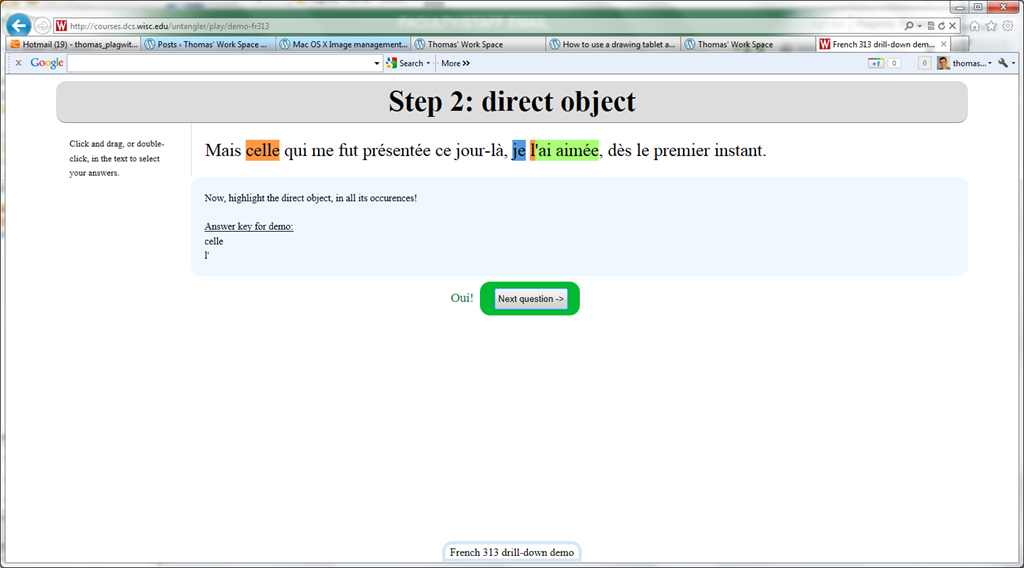
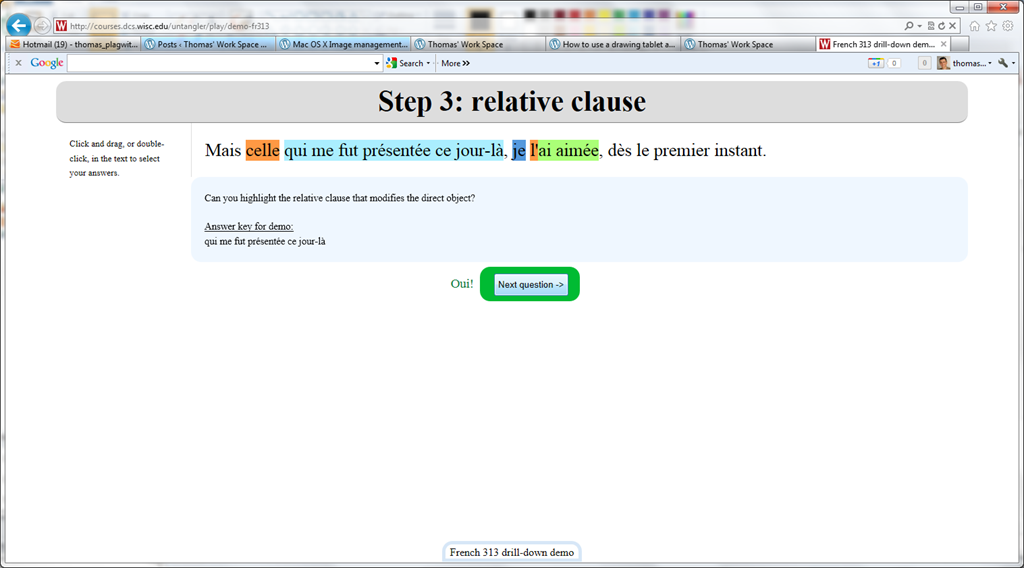
Nice Syntax highlighter tool from wisc.edu @ Madison
-
Wish my Latin teacher at home would have had such a nice tool when he analyzed the “Ante mare et terras et quod tegit omnia caelum / unus erat toto naturae vultus in orbe / quem dixere chaos”, he had only me:

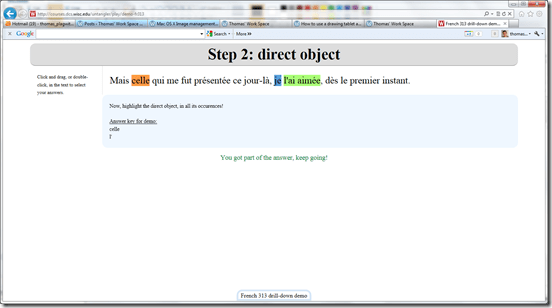

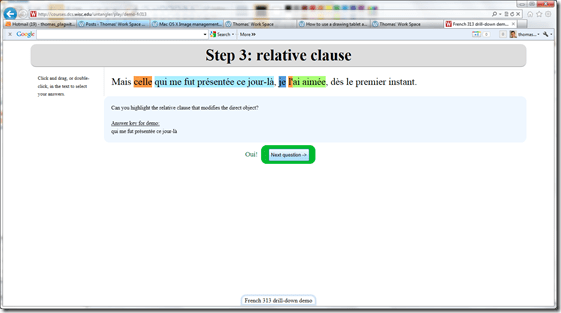

- Now how could such exercise creation made more automated by having it accept the output of NLP tools like Treetagger?


Sanako comparative recording exercises using Moodle
- Comparative recordings are one of the best-established practices in SLA with technology. We can implement them here using:
- The Sanako Study 1200 language lab software installed in LRCRoomCoed434 facilitates comparative recordings by students, based on a teacher-provided model audio, with its student dual track recorder software.
- Moodle’s Simple file upload assignment aids in managing the workflow,
- from delivering the audio file with the model recording to the student
- to organizing, assessing and grading the student input.
- For the teacher
- to create such an exercise, she
- creates an audio recording that serves as a model for the student pronunciation – a special application of our Audacity recording introduction. It is advised, however, to insert clear cues for the student to start his repetition.
- creates a Moodle’s Simple file upload assignment to which she attaches the audio recording
- continue with How a teacher grades a Moodle simple file upload assignment
- to create such an exercise, she
-
For the students to take such an exercise:
- How a student takes a Moodle Simple file upload assignment
- TBA: Sanako Student Recorder
Treffpunkt Deutsch Companion Website with Online Exercises
- This first-year German textbook comes with a Companion Website with free online exercises, organized by chapter, on the publisher’s website (different from the Quia.com –based workbook and lab manual exercises).
- From the instructor guide: “The Companion Website is a robust online resource designed to give students a chance to practice and further explore the vocabulary, structures, and cultural themes introduced in the text. For each chapter, students will find self-grading practice exercises on vocabulary and grammar topics as well as Web-based reading and writing activities. Web links to carefully selected sites in Germany, Austria, Switzerland, Luxemburg, Liechtenstein, and South Tyrol (Italy), accompanied by interesting activities, provide additional interaction with the cultures of these German-speaking areas of Europe. Also available on the Website are the audio components of the Student Text and the SAM, as well as an interactive vocabulary flashcards tool. ”
- These exercises include vocabulary practice, even flash cards.
- The auto-correction feature provides:
- some useful feedback for further study,

- summary grades

- and an email to teacher function that should facilitate Syllabus integration of this useful resource:

- some useful feedback for further study,


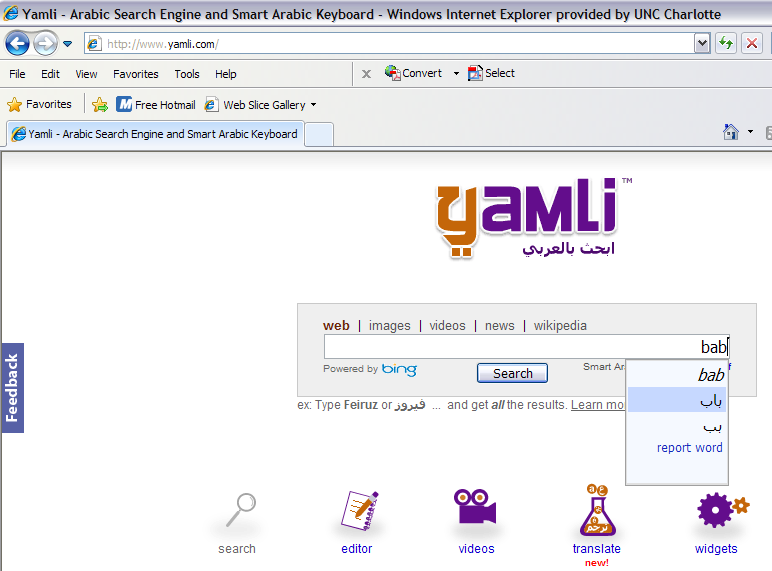
Transcribe sounds into Arabic letters on the web using Yamli
How do you compare this to Microsoft Maren and Google Arabic keyboard input?
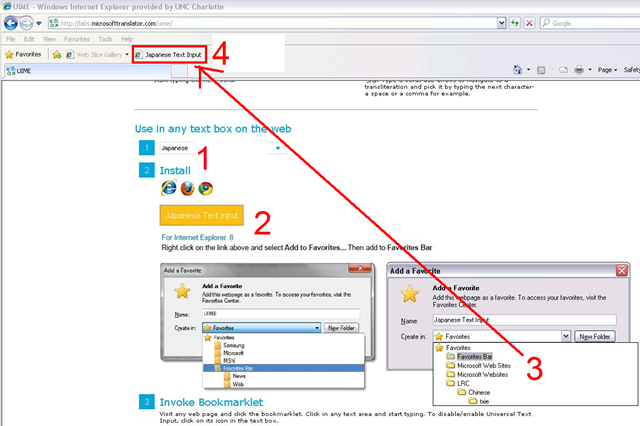
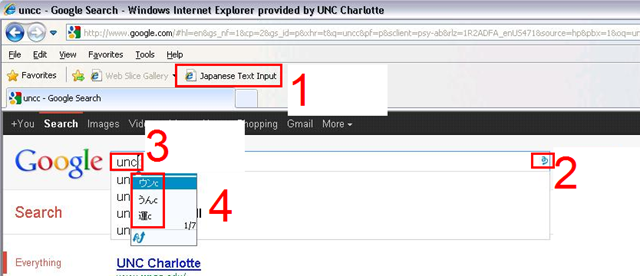
MS Universal Language Input Tool offers correction and transliteration on any web page
Using the UIME, you can “type any language with any keyboard on any web page, using only the Roman characters present on every keyboard.”

And you can install your favorite input language in your web browser, like so:
Chinese newspapers
- China Daily is the largest Chinese newspaper available in English. It has a variety of versions: here is the version for the US, for cross-cultural learning, while the English version for speakers of Chinese is valuable both for learners of Mandarin and English.
- The government-run newspaper People’s Daily has an English version, also with language learner glossing.


Questions? Read the About. Or just ask me a quick Our Databases: Resources with calendars -- Language learning material Moodle Sites, multimedia files -- films


FAQs for LRC student staff or for students or for teachers. To search our FAQs, in the browser addressbar, add after "https://plagwitz.wordpress.com/feed/?tag=faqs+/" "+TAG1" (from tag cloud below) OR "https://plagwitz.wordpress.com/feed/tag=faqs
&category_name=" "CAT1" (from category hierarchy below). OR search both categories and tags, and multiple TAGs/CATs (connect with "," for OR-search, with "+" for AND-search), like so: https://plagwitz.wordpress.com/feed/?tag=TAG1+TAG2+...TAGn&category_name=CAT1
+CAT2+...CATn"
Other ways to find help
If you cannot find it here, look there: 5,500 Language-Learning Links and Programs for learning or teaching 150 languages
Shortcuts:Our Lists, Our Maps, LRC Staff Moodle Site,LRC Project Moodle Site, 49erexpress, UNCC Moodle, Student Recordings: s:claslcslrcsanakostudent
Learning usage samples: Sanako oral exam, Kaltura webcam presentation, Dictation with speech recognition, Sanako written exam, Chinese and Japanese interactive stroke-order practice
Test the Sanako Installer, Webbrowser Popup Konfigurator for XP, or Windows7, faster LRC TeacherPC Log-in Let MS facilitate diacritics writing by installing for you US-International keyboard layout
This is my personal blog (Google+). The views expressed on these pages are mine alone and not those of my employer. The information in this weblog is provided “AS IS” with no warranties, and confers no rights.
 Thomas' Work Space